Skip to navigation
Skip to main content
Skip to navigation
Skip to main content




How to Select the Right UPS for PC, Gaming, Office, CCTV & Home in India 2026

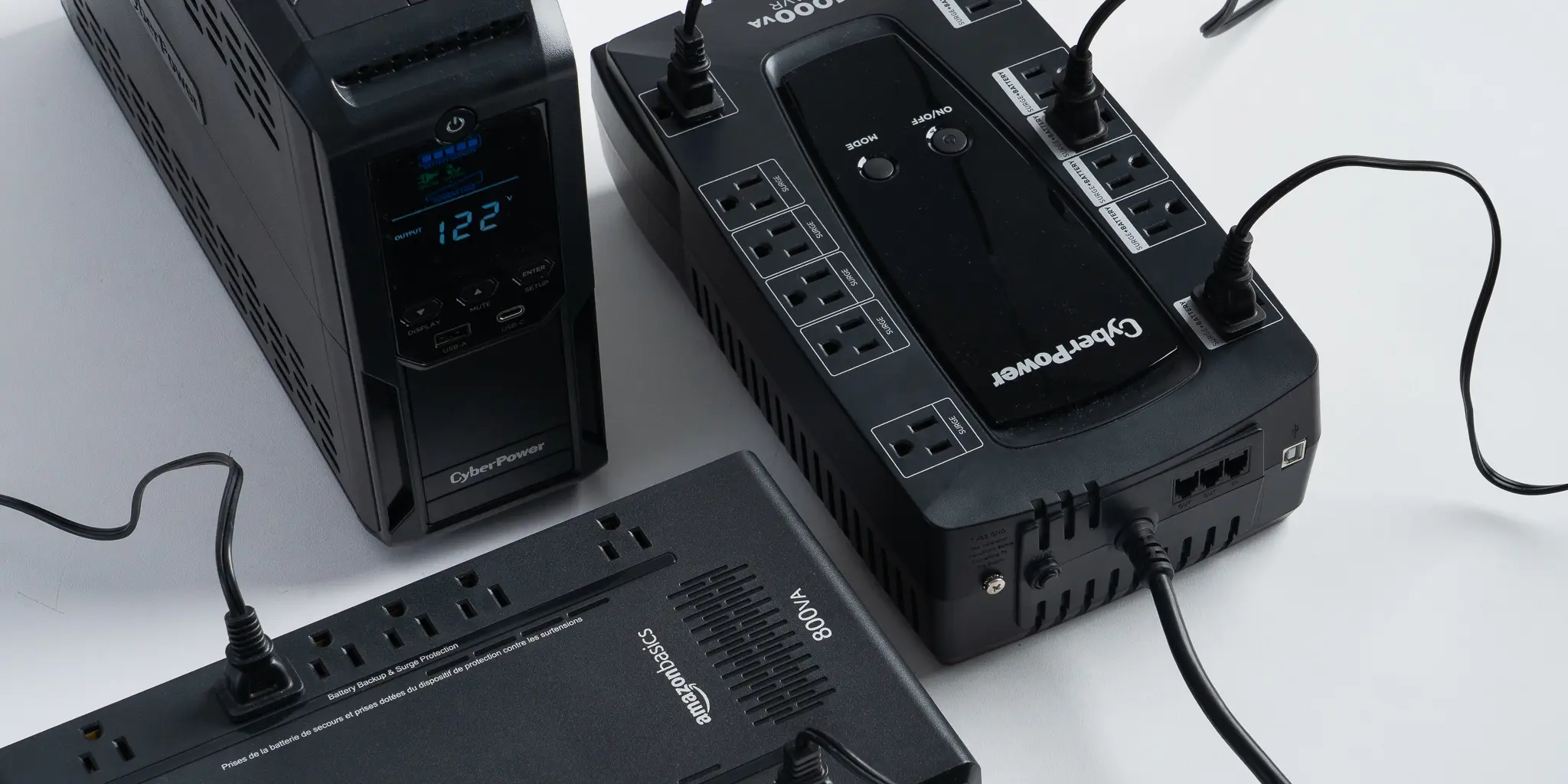
A UPS (Uninterruptible Power Supply) is the most underrated yet critical component for any PC or electronics setup in India. With frequent power cuts, voltage fluctuations between 140V and 290V, and unpredictable brownouts common across Delhi, Mumbai, Bangalore, and smaller cities alike, a good UPS is not optional – it is essential protection for your investment.
Without a UPS, a single power surge can destroy a graphics card worth Rs.70,000, corrupt a hard drive full of irreplaceable data, or bring down a CCTV system during a security incident. This complete guide walks you through exactly how to choose the right UPS for your specific situation – from a basic home PC to a multi-server business rack – and links you directly to UPS units available online and at our Nehru Place store.
Why Every PC Setup in India Needs a UPS
India’s power grid is among the most volatile in the world for consumer electronics. Even in major cities, voltage regularly swings between 150V and 280V within minutes. Power cuts lasting 30 seconds to several hours are routine in most states. The real damage these cause to unprotected electronics is severe and often not immediately obvious.
What Happens Without a UPS
- Hard Drive and SSD Corruption: A drive reading or writing data when power cuts abruptly results in corrupted file systems, lost data, and often physical drive failure requiring professional recovery costing Rs.5,000-Rs.40,000
- Motherboard and VRM Damage: Voltage spikes destroy the VRMs and capacitors on motherboards – parts that are expensive and sometimes not individually replaceable
- GPU Failure: Graphics cards with sensitive power delivery circuitry are particularly vulnerable; an unprotected RTX 5070 or RTX 5080 can be permanently damaged by a single spike
- PSU Capacitor Degradation: Repeated switching on/off degrades power supply capacitors silently – the PSU appears to work until it fails catastrophically, often taking other components with it
- NVR and CCTV Recording Loss: Security footage is lost and hard drives inside NVRs fail frequently without power protection – defeating the entire purpose of the security system
- Router and Network Downtime: Internet cuts out every time power flickers, disrupting video calls, cloud backups, and connected devices
The Three Types of UPS: Which One Suits You?
The single biggest mistake buyers make is not understanding UPS topology. All three types look similar from the outside but deliver completely different levels of protection.
Type 1 – Offline / Standby UPS
How it works: Passes mains power directly to your equipment. Switches to battery only after detecting a complete power failure. Transfer time: 8-20ms.
Price range: Rs.1,500 – Rs.3,500
Good for: WiFi routers, set-top boxes, basic LED TVs, phone chargers, small fans
Not suitable for: Desktop PCs, gaming rigs, CCTV NVRs, workstations – the 8-20ms transfer gap is enough to crash computers and corrupt drives. No voltage regulation means your equipment receives exactly whatever voltage the grid delivers – including harmful spikes and sags.
Type 2 – Line-Interactive UPS (Recommended for Most Users)
How it works: Includes an AVR (Automatic Voltage Regulator) that actively boosts or bucks mains voltage to a stable ~220V output without touching the battery. Switches to battery only on complete power failure. Transfer time: 2-8ms.
Price range: Rs.3,500 – Rs.20,000
Good for: Desktop PCs, home offices, gaming setups, CCTV, networking equipment, NAS drives
Why it is the right choice for India: India’s grid fluctuates constantly. A line-interactive UPS handles input as wide as 140V-290V and outputs stable power without draining the battery – so your battery is preserved for actual outages, not wasted correcting routine voltage swings. This dramatically extends battery life compared to offline UPS units used in Indian conditions.
Type 3 – Online / Double-Conversion UPS (Best Protection)
How it works: Converts AC -> DC -> AC continuously. Your equipment always runs from the inverter output – never directly from the mains. Transfer time: 0ms (zero).
Price range: Rs.14,000 – Rs.2,00,000+
Good for: Business servers, CCTV NVRs in critical installations, data centers, medical equipment, industrial control systems, high-value workstations
Why it is the best: Complete isolation from grid noise, spikes, frequency variations, and brownouts. Equipment is always running on clean, regulated pure sine wave power. Zero transfer time means not even a single millisecond of disruption – ever. Microtek’s MAX+ and MAX series online UPS systems available at Thencix use this topology.
Pure Sine Wave vs Simulated Sine Wave: Critical for Gaming PCs
This is the most misunderstood UPS specification – and getting it wrong can damage your equipment even with a UPS installed.
Why This Matters for Your Gaming PC
Every modern gaming PC power supply (Corsair, Seasonic, be quiet!, EVGA, Cooler Master) uses Active PFC (Power Factor Correction) technology. Active PFC PSUs are sensitive to the waveform shape of AC power delivered by the UPS when running on battery.
- Pure Sine Wave UPS on battery: Outputs smooth, continuous sine wave – identical to clean mains power. Your Active PFC PSU runs perfectly. Safe for all equipment.
- Simulated / Modified Sine Wave UPS on battery: Outputs a stepped, blocky approximation of a sine wave. Active PFC PSUs react to this incorrectly – they can shut down suddenly, overheat, or behave erratically. The result is exactly the same as a power cut, destroying the purpose of the UPS entirely.
- If your PC has any branded PSU -> it uses Active PFC -> you MUST use a Pure Sine Wave UPS
- All APC Back-UPS Pro (BR series) and all online UPS units (APC SRC, Microtek MAX series) sold at Thencix output pure sine wave
- Any UPS under Rs.3,000 almost certainly outputs simulated sine wave – do not use with gaming PCs
- When in doubt, call us at +91 98911 50949 before buying
How to Calculate the Right VA Rating for Your Setup
VA (Volt-Ampere) is the capacity rating of a UPS. Buying too small leaves your system unprotected. Buying too large wastes money. Here is the exact step-by-step calculation.
Step 1 – List Everything You Will Plug Into the UPS
Only include equipment that must stay powered during an outage. Do not include laser printers, air conditioners, room heaters, electric kettles, or microwave ovens – these draw too much power and should never connect to a UPS.
Step 2 – Find Each Device’s Power Draw
| Device | Typical Watts | Notes |
|---|---|---|
| Basic office desktop (no GPU) | 120-200W | Integrated graphics |
| Mid-range gaming PC (RTX 5060 Ti / 5070) | 350-500W | Under gaming load |
| High-end gaming PC (RTX 5080 / 5090) | 600-900W | Under full load |
| 24″ LED monitor | 25-40W | Per monitor |
| 27″ gaming monitor (144Hz+) | 40-65W | Per monitor |
| WiFi router / modem | 10-20W | Always include |
| Managed network switch (8-port) | 10-25W | PoE switch: 60-150W |
| CCTV NVR (8-channel) | 25-50W | Add cameras if PoE |
| IP camera (per unit via PoE) | 5-15W | Only if on same UPS |
| External hard drive / NAS (2-bay) | 30-60W | Under load |
| Gaming speakers / headset amp | 5-30W | Optional |
<- Scroll to see all columns on mobile ->
Step 3 – Apply the VA Formula
Formula: Required VA = (Total Watts / 0.7) x 1.25
The /0.7 converts watts to VA (assuming 0.7 power factor). The x1.25 adds a 25% headroom buffer for startup surges and future upgrades.
Example A – Basic Home / Office PC:
PC (180W) + Monitor (35W) + Router (15W) = 230W
230 / 0.7 x 1.25 = 410 VA -> Buy 600VA UPS
Example B – Mid-Range Gaming Setup:
PC (450W) + 2 monitors (100W) + Router (15W) = 565W
565 / 0.7 x 1.25 = 1,009 VA -> Buy 1100VA or 1500VA UPS
Example C – High-End Gaming + Streaming:
PC (750W) + 2 monitors (110W) + Router (15W) + Lights (30W) = 905W
905 / 0.7 x 1.25 = 1,616 VA -> Buy 2KVA UPS
Example D – CCTV NVR + 8 Cameras + PoE Switch:
NVR (40W) + 8 cameras (80W) + PoE switch (90W) = 210W
210 / 0.7 x 1.25 = 375 VA -> Buy 1KVA UPS for headroom and runtime
UPS Recommendations by Use Case – With Real Thencix Products
1. Home PC / Basic Office Desktop
Setup: Office desktop or basic home PC, 1 monitor, WiFi router
Load: 200-300W | UPS needed: 600VA-1100VA, Line-Interactive, AVR
Buy at Thencix:
- APC Back-UPS BX1100C-IN – 1100VA / 660W – Rs.7,050 (was Rs.9,900) – 5 Indian power sockets, AVR 145-290V input, up to 90 min backup at low load, cold-start capability. Best all-round pick for home and basic office.
- APC Back-UPS Pro BR1000G-IN – 1000VA / 600W – Rs.13,400 (was Rs.16,700) – LCD display, AVR, surge protection, energy-efficient. Step up for users wanting premium features.
2. Mid-Range Gaming PC
Setup: Gaming PC with RTX 5060 Ti / RTX 5070, 2 monitors, router
Load: 400-550W | UPS needed: 1100VA-1500VA, Line-Interactive, Pure Sine Wave mandatory
Buy at Thencix:
- APC Back-UPS Pro BR1500G-IN – 1500VA / 865W – Rs.16,000 (was Rs.20,700) – Pure sine wave, LCD panel, AVR, Green Mode energy saving. Purpose-built for gaming PCs with Active PFC PSUs. Highly recommended.
- APC Back-UPS BX1100C-IN – 1100VA / 660W – Rs.7,050 – Budget entry for lighter mid-range builds (RTX 5060 Ti at stock clocks, single monitor).
Note: With Active PFC PSUs (standard on all branded gaming power supplies), pure sine wave output is non-negotiable. The BR1500G-IN provides this at an excellent price point.
3. High-End Gaming PC / Content Creation / Streaming
Setup: RTX 5080 / RTX 5090 build, 2-3 monitors, capture card, streaming lights
Load: 650-900W | UPS needed: 2KVA-3KVA, Online or Line-Interactive, Pure Sine Wave
Buy at Thencix:
- Microtek MAX+ 1KVA Online UPS (Internal Battery) – 1KVA / 900W – Online double-conversion, zero transfer time, pure sine wave, 2-year warranty. For setups where zero interruption is critical.
- Microtek MAX 3KVA Online UPS – 3KVA / 2700W (External Battery) – True online double-conversion, 0.05ms transfer time, pure sine wave, IGBT technology, scalable runtime via external battery bank. For the most demanding high-end setups.
Note: The Microtek MAX 3KVA (external battery version) requires a separate 72V battery bank – giving you full control over runtime, from 30 minutes to several hours. Ideal if you stream or work professionally from home.
4. Home Office / Work From Home
Setup: Laptop or desktop PC, external monitor, router, external drives, VoIP
Load: 200-400W | UPS needed: 1100VA, Line-Interactive, AVR, Pure Sine Wave preferred
Buy at Thencix:
- APC Back-UPS BX1100C-IN – 1100VA / 660W – Rs.7,050 – AVR, 5 Indian sockets, up to 90 minutes backup at low WFH load. Keeps your router, PC, and monitor alive through typical 30-minute power cuts.
- APC Back-UPS Pro BR1000G-IN – 1000VA / 600W – Rs.13,400 – LCD display, energy-efficient, great for professionals needing a reliable WFH power solution with better monitoring.
Pro Tip: Always include your router and modem in the UPS load. Staying connected during outages is the primary need for WFH professionals. The BX1100C-IN specifically lists WiFi router/DSL modem compatibility.
5. CCTV / Security System (NVR + Cameras + PoE Switch)
Setup: NVR recorder, 4-16 IP cameras via PoE switch, hard drives
Load: 100-250W | UPS needed: 1KVA-2KVA, Online preferred, Pure Sine Wave mandatory
Buy at Thencix:
- APC SRC1KI-IN – 1KVA / 800W Online UPS – Double-conversion online UPS with pure sine wave, built-in battery, 4 India 3-pin sockets. Zero transfer time ensures NVR hard drives never experience even 1ms of power interruption. Ideal for CCTV.
- Microtek MAX+ 1KVA Online UPS (Internal Battery) – Online double-conversion, zero transfer time, pure sine wave, 2-year warranty. Professional-grade protection for critical CCTV installations.
Why online UPS for CCTV? NVR hard drives are in constant write mode – recording footage 24/7. Any gap in power, even 10ms, can cause a write error that corrupts the recording index and leads to drive failure. Online UPS is the right choice for protecting CCTV installations.
6. Small Business Server / NAS / Network Room
Setup: File server, NAS, network switches, business workstations
Load: 500-2000W+ | UPS needed: 2KVA-3KVA+, Online Double-Conversion, Pure Sine Wave, RS232/USB management
Buy at Thencix:
- Microtek MAX 2KVA Online UPS – 2KVA / 1800W (External Battery) – MOSFET-PWM online double-conversion, inbuilt isolation transformer, 17A high-speed charger, pure sine wave, zero transfer time, RS232 smart management, SNMP slot. Purpose-built for server rooms, cyber cafes, ATM machines, labs. 2-year warranty.
- Microtek MAX 3KVA Online UPS – 3KVA / 2700W (External Battery) – Rs.28,000 (was Rs.38,000 – 50% off) – IGBT technology, 17A charger, 160-260V wide input, generator compatible, SNMP card slot, advanced PFC (>0.99). For larger server environments.
- Microtek MAX+ 1KVA Online UPS (External Battery) – 9.5A high-speed charger, IGBT technology, generator compatible, SNMP slot. For smaller server setups requiring external scalable battery banks.
Note: External battery versions allow you to customise runtime – from a 7Ah SMF battery for 15-minute office protection to 200Ah+ tubular banks for hours of industrial runtime. Call us to discuss the right battery bank configuration for your needs.
UPS Brands Available in India: Quick Comparison
| Brand | Best For | Price Range | India Service |
|---|---|---|---|
| APC (Schneider Electric) | Home, office, gaming | Rs.7,050 – Rs.55,000+ | Excellent – pan-India |
| Microtek | Server, CCTV, office, home | Rs.3,500 – Rs.80,000+ | Excellent – pan-India |
| CyberPower | Gaming PC, workstation | Rs.4,000 – Rs.60,000 | Good |
| Luminous | Home, router mini-UPS | Rs.1,800 – Rs.25,000 | Excellent – pan-India |
| Eaton | Enterprise, data center | Rs.15,000 – Rs.5,00,000+ | Good |
| V-Guard / Zebronics | Budget home use only | Rs.1,500 – Rs.8,000 | Average |
<- Scroll to see all columns on mobile ->
Quick Selector: UPS by Budget
| Budget | Recommended Model | Best For |
|---|---|---|
| Up to Rs.7,500 | APC BX1100C-IN | Home PC, office desktop, WFH |
| Rs.7,500 – Rs.14,000 | APC BR1000G-IN | Mid-range gaming, home office pro |
| Rs.14,000 – Rs.18,000 | APC BR1500G-IN | High-end gaming, streaming setups |
| Rs.18,000 – Rs.30,000 | APC SRC1KI-IN / Microtek MAX+ 1KVA | CCTV, small server, critical office |
| Rs.28,000 – Rs.40,000 | Microtek MAX 3KVA | Server room, business, heavy loads |
| Custom / enterprise | Microtek MAX 2KVA | Data center, ATM, industrial |
<- Scroll to see all columns on mobile ->
5 Costly Mistakes to Avoid When Buying a UPS
Mistake 1 – Buying Too Small
A 600VA UPS cannot protect a gaming PC drawing 500W. Overloading causes the UPS to shut off under battery, overheat, and fail silently. Always buy with 25% headroom above current load and room for future upgrades.
Mistake 2 – Using Simulated Sine Wave With an Active PFC PSU
Budget UPS units under Rs.3,500 typically output simulated/modified sine wave. Every modern gaming PC power supply uses Active PFC. On battery, a simulated sine wave UPS feeding an Active PFC PSU will either shut the PC off abruptly or silently damage the PSU over time – worse than no UPS.
Mistake 3 – Connecting Laser Printers or High-Load Devices
Laser printers draw 800-1500W during fusing cycles. Plugging one into a 1000VA UPS will immediately overload it. Laser printers belong on a dedicated surge protector, not a UPS. Same applies to air conditioners, room heaters, electric geysers, and refrigerators.
Mistake 4 – Never Replacing the Battery
UPS batteries last 2-3 years in India’s climate. An old battery shows “battery good” on the display but may only provide 2 minutes of backup instead of 20. Test your backup time annually and replace batteries every 2-3 years. Replacement batteries for all APC and Microtek models stocked at Thencix are available on request.
Mistake 5 – Skipping UPS for CCTV
Many people invest in a complete CCTV surveillance system and skip the UPS entirely. Power cuts cause NVR recording corruption, drive failure, and complete loss of footage during critical events. A CCTV system without UPS is not a complete security solution.
Where to Buy UPS in India – Online and Offline
Buy Online – Thencix.com
All UPS models mentioned in this guide are available for direct purchase at Thencix UPS Store with genuine manufacturer warranty, fast Delhi NCR delivery, and expert pre-sale support via phone.
- APC BX1100C-IN 1100VA – Rs.7,050
- APC BR1000G-IN 1000VA – Rs.13,400
- APC BR1500G-IN 1500VA – Rs.16,000
- APC SRC1KI-IN 1KVA Online – available
- Microtek MAX+ 1KVA (Internal Battery)
- Microtek MAX+ 1KVA (External Battery)
- Microtek MAX 2KVA Online – Rs.28,000
- Microtek MAX 3KVA Online – Rs.28,000 (50% off)
Buy Offline – Visit Thencix at Nehru Place, Delhi
For hands-on consultation, live demonstration, and immediate pickup, visit us at Nehru Place – Delhi’s largest computer market. Our team will assess your full setup, calculate the exact VA requirement, and recommend the right UPS with no upselling.
109B Osian Building, 12 Nehru Place, New Delhi – 110019
Email: [email protected]
Monday – Saturday, 10:00 AM – 7:00 PM
View on Google Maps
Related Products to Build a Fully Protected Setup
A UPS protects your power supply – pair it with the right equipment for complete setup protection:
- Graphics Cards – protect your GPU investment with a quality UPS
- Processors – Intel and AMD CPUs for your protected gaming build
- Motherboards – the component most vulnerable to voltage spikes
- Memory RAM – protect DDR5 from corruption during cuts
- Storage Drives – SSDs and HDDs are most vulnerable to abrupt power loss
- CCTV Solutions – cameras, NVRs, and installation for full security
- NVR Recorders – always pair with an online UPS
- IP Cameras – protect PoE cameras via UPS-backed PoE switch
- Networking Solutions – routers, switches, and structured cabling
- PoE Switches – power cameras and access points through UPS-backed switches
- Monitors – protect display panels from voltage spikes
- Gaming Keyboards – complete your protected gaming setup
Frequently Asked Questions About UPS Selection
What VA rating UPS do I need for a gaming PC?
A mid-range gaming PC with an RTX 5060 Ti or RTX 5070 typically needs a 1100VA-1500VA UPS. High-end systems with RTX 5080/5090 need 2KVA-3KVA. Use the formula: (Total Watts / 0.7) x 1.25 to calculate your minimum VA requirement, then round up to the next available size.
Can I use any UPS with my gaming PC power supply?
No. Gaming PCs use Active PFC power supplies that require pure sine wave output when running on battery. The APC BR1500G-IN and all Microtek MAX / MAX+ online UPS systems output pure sine wave and are safe for gaming PCs. Budget UPS units under Rs.3,500 output simulated sine wave and are not compatible.
What is the difference between offline, line-interactive, and online UPS?
Offline UPS switches to battery after a power failure (8-20ms delay). Line-interactive UPS regulates voltage continuously using AVR and switches to battery on failure (2-8ms). Online UPS converts power through battery continuously – zero transfer time, maximum protection. For India’s grid conditions, line-interactive is the minimum recommended type for PCs; online is recommended for servers and CCTV.
How long will a UPS keep my PC running?
The APC BX1100C-IN provides up to 90 minutes at low loads (router + basic PC) and 10-20 minutes at typical desktop PC loads. The APC BR1500G-IN provides 15-25 minutes at gaming PC loads. Microtek MAX external battery versions allow you to scale runtime to hours by choosing larger battery banks.
Do I need a UPS for my CCTV system?
Yes – this is non-negotiable for any serious installation. CCTV NVR drives record continuously. Any power interruption causes recording corruption and accelerates drive failure. Use an online UPS like the APC SRC1KI-IN or Microtek MAX+ 1KVA for zero-transfer-time protection.
How often should I replace the UPS battery?
In India’s climate (high ambient temperatures accelerate battery degradation), replace UPS batteries every 2-3 years regardless of apparent condition. Test backup runtime annually. If a UPS rated for 20 minutes now only provides 5 minutes, the battery needs replacement immediately. Contact Thencix at +91 98911 50949 for replacement battery availability.
Last updated: February 17, 2026. Prices shown are current Thencix selling prices and may change. Visit