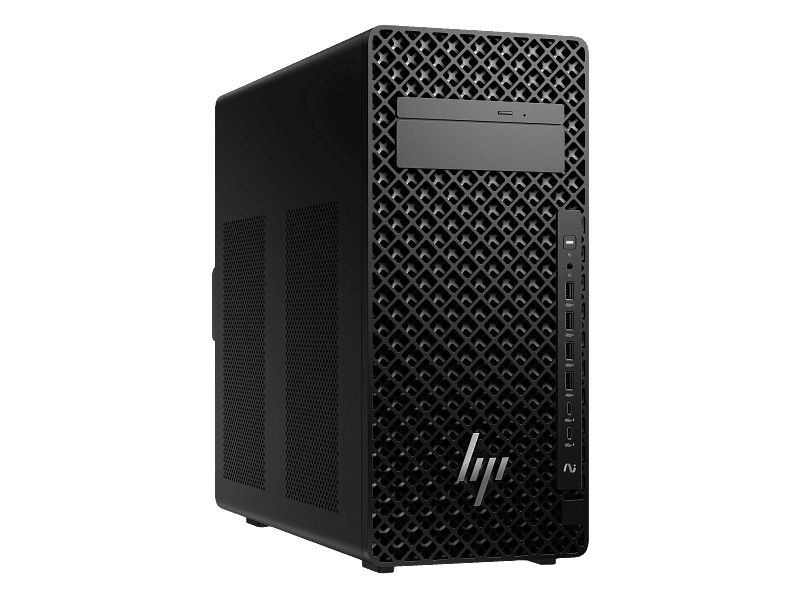
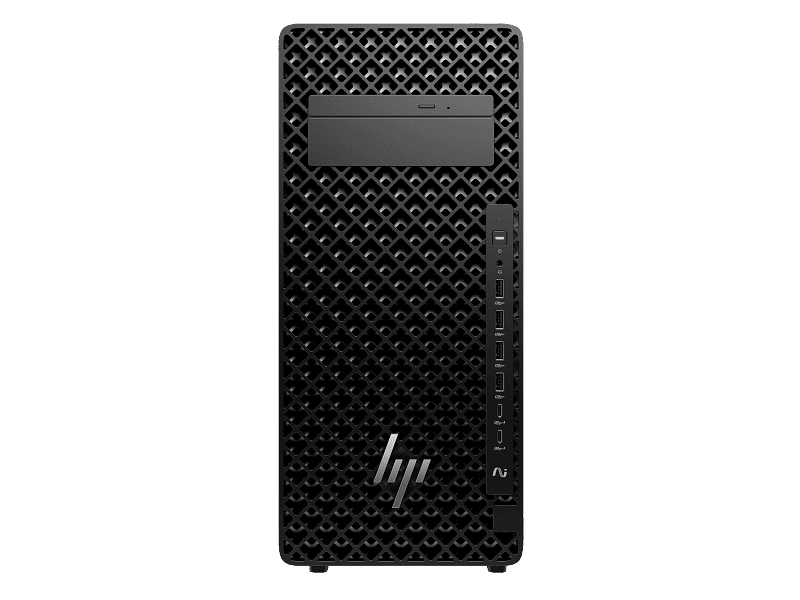
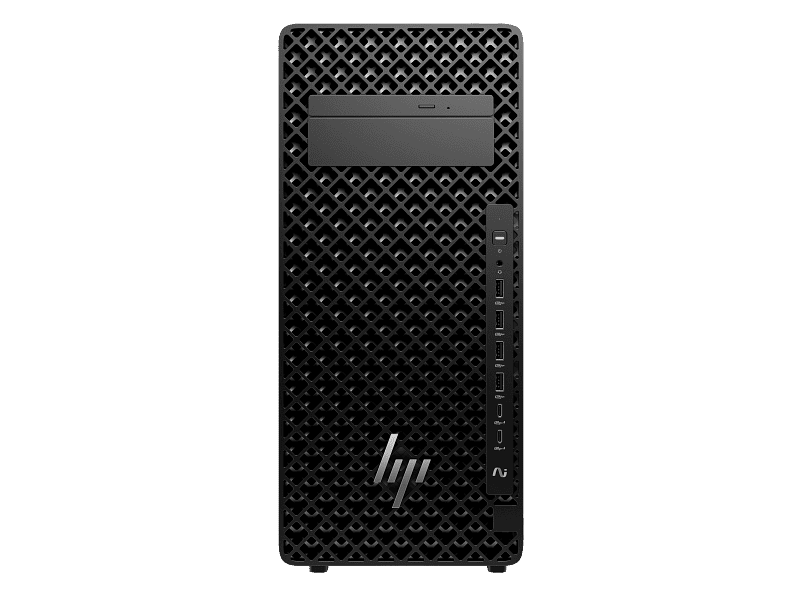
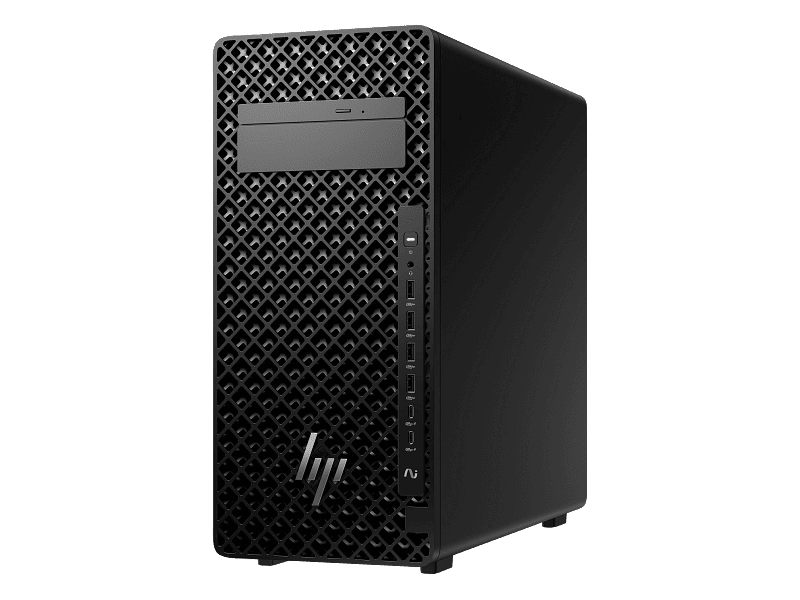
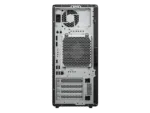
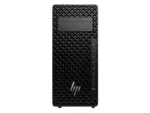
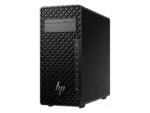
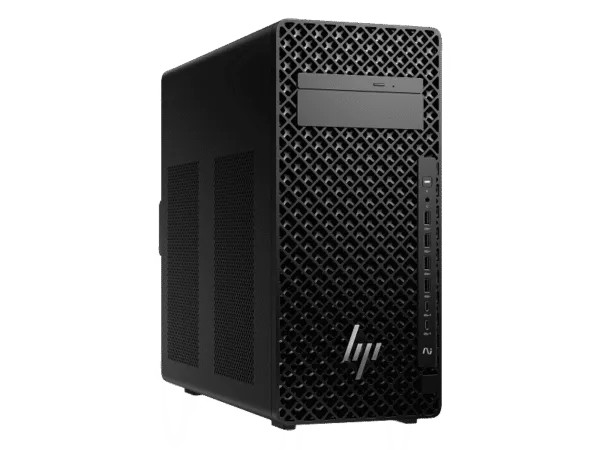
The HP Z2 Tower G1i is a professional tower workstation configuration built around the Intel Core Ultra 7 265 processor, with selectable 32GB or 64GB DDR5 memory, 1TB NVMe storage, Windows 11 Pro, and dedicated RTX graphics options. This variable configuration is designed for professional users who need a workstation platform for CAD, engineering design, 3D visualization, software development, content creation, GPU-accelerated applications, and AI-assisted workflows.
The Intel Core Ultra 7 265 used in this configuration provides 20 cores and 20 threads, up to 5.3GHz Turbo Boost frequency and 30MB L3 cache on Intel’s W880 workstation platform. HP’s India documentation confirms the Z2 Tower G1i platform uses four DDR5 memory slots and provides multiple M.2 and PCIe expansion options, making the tower suitable for professional deployments where memory, storage and expansion requirements can increase over time.
The graphics selection provides two different workload profiles: NVIDIA RTX PRO 2000 Blackwell with 16GB GDDR7 for professional GPU workloads, or NVIDIA GeForce RTX 5080 with 16GB GDDR7 for applications where high GPU compute and rendering performance are required. The exact graphics board manufacturer is subject to availability; the supplied GPU will match the selected GPU class and memory specification.
For Indian businesses, the tower format is practical for engineering offices, architecture studios, software development teams, media production environments and institutional deployments. The configuration can be selected according to memory requirements and GPU workload rather than forcing every customer into the same fixed hardware combination.
Key Features
- Intel Core Ultra 7 265 processor with 20 cores and 20 threads
- Up to 5.3GHz Turbo Boost frequency and 30MB L3 cache
- 32GB or 64GB DDR5 memory options
- 1TB PCIe NVMe storage
- Windows 11 Pro
- NVIDIA RTX PRO 2000 Blackwell 16GB GDDR7 graphics option
- NVIDIA GeForce RTX 5080 16GB GDDR7 graphics option
- Intel W880 workstation chipset platform
- Four DDR5 memory slots
- PCIe 5.0 x16 expansion capability on the platform
- Multiple M.2 storage expansion positions
- Professional tower chassis
- 3-Year Brand Warranty
- GST invoice supplied with the purchase
The Z2 Tower G1i platform is designed around professional expansion rather than a fixed consumer desktop architecture. HP India documentation lists four DDR5 slots and multiple PCIe and M.2 positions on the platform.
Why Choose This Workstation
A professional workstation needs to balance processor performance, graphics acceleration, memory capacity, storage responsiveness and future expansion. This configuration addresses those requirements by keeping the processor, storage and operating system consistent while allowing the customer to select the RAM and graphics combination required for the workload.
The 32GB option provides a practical configuration for professional CAD, development, design and general workstation applications. The 64GB option provides additional memory headroom for larger assemblies, heavier multitasking, virtual machines, simulation data and professional content creation.
For a Noida architecture firm working with CAD and BIM projects, the additional memory can become useful when several applications and large project files remain open simultaneously. For a Delhi software development team, the same platform can be used for IDEs, containers, local databases and development tools without requiring a separate system for every task.
Customers comparing the Z2 Tower G1i with other professional systems can also review the HP Z2 Tower G1i Core Ultra 7 workstation configuration available from Thencix.
Processor Architecture
The Intel Core Ultra 7 265 is a 20-core, 20-thread desktop processor with a maximum Turbo Boost frequency of up to 5.3GHz and 30MB of L3 cache. HP lists the processor on its Z2 Tower G1i platform with the Intel W880 chipset.
The processor combines high-frequency processing with multiple cores for professional multitasking. Single-thread-sensitive applications such as modelling, drawing manipulation and some CAD operations can benefit from high Turbo frequencies, while multi-threaded workloads such as compilation, rendering, data processing and background workloads can make use of the available processor cores.
For Indian engineering offices in Noida, Gurgaon and Bengaluru, this makes the configuration suitable for workflows where CAD or engineering software runs alongside browsers, documentation, communication tools and project-management applications.
The processor also belongs to Intel’s Core Ultra generation, bringing an integrated NPU for compatible AI workloads. NPU usage depends on application support and should not be treated as a replacement for a dedicated GPU in GPU-intensive AI workloads.
AI Processing and NPU
Compatible AI-enabled applications can distribute workloads between the CPU, GPU and NPU. The NPU is intended for supported low-power AI processing and AI-assisted application features, while the dedicated RTX graphics configuration provides the primary acceleration resource for CUDA, Tensor and other GPU-dependent workloads.
For an Indian software development team experimenting with local AI applications, the combination of CPU processing, NPU acceleration and dedicated RTX graphics provides several hardware acceleration paths within a single workstation. Actual performance depends on the framework, model size, software optimisation, drivers and available graphics memory.
Users selecting the workstation specifically for AI development should verify the required CUDA version, framework compatibility, VRAM requirements and supported GPU architecture before ordering.
Graphics Performance
NVIDIA RTX PRO 2000 Blackwell 16GB GDDR7
The RTX PRO 2000 Blackwell configuration is intended for professional graphics workloads where dedicated GPU acceleration, professional software compatibility and 16GB of graphics memory are relevant. Typical workloads can include CAD visualization, 3D modelling, professional rendering, GPU-accelerated design applications and compatible AI inference workloads.
The 16GB graphics memory capacity provides useful headroom for larger professional scenes, models, textures and GPU workloads. Professional GPU performance remains application-dependent, and users should check the current ISV certification and driver requirements for their specific software.
NVIDIA GeForce RTX 5080 16GB GDDR7
The RTX 5080 configuration is intended for workloads that place a strong emphasis on GPU compute and rendering. The 16GB GDDR7 graphics memory provides a substantial dedicated frame buffer for compatible rendering, content creation, visualization and AI applications.
The RTX 5080 option may be appropriate for workloads involving GPU rendering, high-resolution content creation, compatible AI inference, CUDA-based applications and other software that can utilise modern GPU acceleration.
Graphics board manufacturer is subject to availability. The customer-facing configuration specifies the GPU family and memory capacity rather than locking the product listing to a particular third-party graphics-board manufacturer.
Customers requiring a professional GPU-focused configuration can also review the HP Z2 Tower G1i professional graphics workstation configuration for comparison.
Memory Architecture
The variable product provides two memory choices: 32GB and 64GB DDR5. HP’s Z2 Tower G1i documentation identifies four DDR5 memory slots on the platform.
The 32GB configuration is suitable for many professional workloads including CAD, engineering documentation, programming, office productivity, design applications and moderate multitasking.
The 64GB configuration provides additional memory headroom for large engineering assemblies, professional creative applications, virtual machines, development environments and workloads where several memory-intensive applications operate concurrently.
Memory expansion should always follow the supported HP memory specifications for the exact configuration. Customers planning future RAM upgrades should confirm the supported module type, capacity and memory population rules before purchasing additional modules.
Storage Technology
Each configuration includes 1TB of PCIe NVMe storage. HP documentation for the Z2 Tower G1i platform identifies M.2 NVMe storage and multiple M.2 positions, including PCIe 4.0 and PCIe 5.0 expansion capability depending on the factory configuration.
NVMe storage provides fast access to the operating system, applications and active project files. For a CAD workstation in Gurgaon, fast local storage is useful when repeatedly opening large project files and application datasets. For developers, it can improve project loading, build operations and virtual-machine storage responsiveness.
Customers with larger project archives can add suitable storage where supported by the exact workstation configuration. Storage expansion should be checked against the available M.2 slots, drive interface, physical installation requirements and HP-supported configuration.
Expansion and Upgradeability
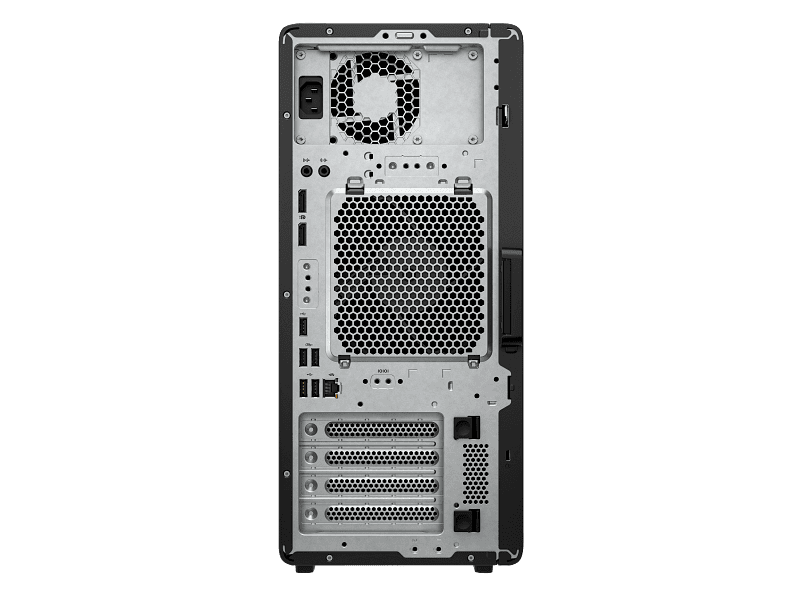
The tower platform is designed to provide expansion flexibility. HP’s India specifications list four DDR5 memory slots, multiple M.2 positions and several PCIe expansion slots, including a PCIe 5 x16 mechanical slot.
This provides a practical upgrade path for businesses whose workloads increase over time. Additional memory can be considered when larger datasets are introduced, while additional storage can be useful when project files and application libraries grow.
PCIe expansion can also support compatible networking, storage or other professional expansion hardware where the required slot, power budget, thermal clearance and driver support are available.
GPU upgrades must be evaluated carefully because the exact power supply, physical clearance, auxiliary power requirements and thermal characteristics can vary by factory configuration. Customers planning a future GPU upgrade should confirm compatibility before purchasing the replacement card.
Ports and Connectivity
The Z2 Tower G1i platform provides wired network connectivity and a range of USB, display and expansion interfaces, with the exact port arrangement depending on the selected factory configuration and optional modules. HP’s India specifications identify Intel Gigabit Ethernet on listed Z2 Tower G1i configurations.
For professional offices, wired Ethernet is useful for connecting the workstation to shared NAS storage, servers, printers, domain infrastructure and enterprise networks.
Display connectivity is primarily determined by the selected graphics configuration. Users requiring multiple displays should verify the available outputs on the supplied graphics hardware before ordering monitors and cables.
Enterprise Security
Windows 11 Pro provides business-oriented security, identity, management and networking functionality suitable for professional deployments. The Z2 Tower G1i platform also incorporates hardware and firmware security technologies according to the exact configuration.
For Indian organisations deploying workstations as business assets, maintaining the GST invoice, serial number, warranty documentation and configuration details is important for procurement records and future service requirements.
Security requirements can vary considerably between a private design studio, an engineering consultancy, a university laboratory and a government procurement environment. Organisations should therefore validate their own endpoint-security, domain, encryption and compliance requirements before deployment.
Reliability and Cooling
The tower form factor provides physical space for professional components and airflow around the installed hardware. Workstation thermal behaviour depends on the processor, graphics configuration, workload, ambient temperature, airflow and exact factory configuration.
Indian operating environments can experience high temperatures and dust, particularly during summer months. The workstation should therefore be installed with sufficient ventilation clearance and should not be placed inside a closed cabinet that restricts airflow.
For sustained rendering, simulation or GPU workloads, proper airflow and regular dust management are important parts of workstation maintenance.
Professional Software Compatibility
The workstation can be used with professional applications that support the selected processor, operating system and graphics configuration. Potential workloads include CAD, BIM, engineering design, 3D modelling, rendering, video production, software development, data analysis and compatible AI applications.
- AutoCAD and engineering CAD applications
- Revit and BIM workflows
- SolidWorks and mechanical design
- 3D modelling and rendering applications
- Adobe professional applications
- DaVinci Resolve and video workflows
- MATLAB and technical computing
- Software development and compilation
- CUDA-enabled development environments
- Compatible local AI inference applications
Software support is application-specific. Customers purchasing the system for a particular professional application should verify the software vendor’s current CPU, GPU, VRAM, driver and operating-system requirements before selecting a variation.
Industry Applications
Architecture and BIM: Architecture firms in Noida, Gurgaon and Delhi can use the workstation for BIM, CAD, 3D modelling, visualization and rendering workflows. The 64GB configuration can be useful when large project files and multiple applications are open simultaneously.
Engineering and Manufacturing: Engineering teams in Faridabad, Ghaziabad and other manufacturing centres can use the workstation for CAD, design documentation, visualization and engineering software. Dedicated graphics provide acceleration for compatible 3D workloads.
Software Development: Development teams can use the Core Ultra platform for IDEs, compilation, containers, databases, virtual machines and AI-assisted development tools. The dedicated GPU can be used for compatible CUDA and GPU-accelerated workloads.
Media and Creative Production: Content teams in Delhi NCR and Mumbai can use the workstation for video editing, 3D applications, image processing, motion graphics and GPU-accelerated rendering.
Education and Research: Engineering colleges, universities and research organisations can deploy the workstation for CAD laboratories, programming, visualization, technical computing and GPU-enabled research workloads.
Technical Specifications
| Specification |
Details |
| Model Number |
HP Z2 Tower G1i |
| Product Type |
Professional Tower Workstation |
| Processor |
Intel Core Ultra 7 265 |
| CPU Cores |
20 |
| CPU Threads |
20 |
| Maximum Turbo Frequency |
Up to 5.3GHz |
| L3 Cache |
30MB |
| Chipset |
Intel W880 |
| Memory Options |
32GB / 64GB DDR5 |
| Memory Slots |
4 DDR5 slots |
| Storage |
1TB PCIe NVMe SSD |
| Graphics Option 1 |
NVIDIA RTX PRO 2000 Blackwell 16GB GDDR7 |
| Graphics Option 2 |
NVIDIA GeForce RTX 5080 16GB GDDR7 |
| Operating System |
Windows 11 Pro |
| Form Factor |
Tower |
| Warranty |
3-Year Brand Warranty |
| Invoice |
GST Invoice |
HP’s published Z2 Tower G1i specifications confirm the Core Ultra 7 265, Intel W880 chipset, four DDR5 slots, 1TB NVMe configurations and the tower form factor on relevant India-market configurations.
Package Contents
- HP Z2 Tower G1i workstation
- Selected 32GB or 64GB memory configuration
- Selected graphics configuration
- 1TB NVMe storage
- Windows 11 Pro configuration
- Power cable and standard supplied accessories
- Documentation supplied with the factory configuration
Monitor, additional storage, UPS, display cables, networking accessories and other peripherals are not included unless specifically mentioned in the quotation or order.
For a complete workstation setup, customers can combine the tower with a suitable professional display, networking hardware or power-protection equipment based on their office environment. Thencix can assist with compatible accessories and project configurations.
Why Buy From Thencix
Thencix operates from 109B Osian Building, 12 Nehru Place, Delhi 110019 and supplies professional workstation configurations with GST invoicing and configuration support.
- 3-Year Brand Warranty: HP Z series workstations are listed in the Thencix SOP warranty appendix with a 3-year 3/3/3 warranty duration.
- GST Invoice: A GST invoice is supplied for business and institutional procurement.
- Configuration Support: Customers can confirm RAM, graphics and storage requirements before ordering.
- Nehru Place Support: Configuration and procurement assistance is available from the Delhi computer-hardware market.
- WhatsApp Support: Contact +91 9891150949 for configuration confirmation and bulk requirements.
Customers can contact Thencix before ordering when a workstation is required for a specific CAD application, AI framework, rendering package, institutional tender or business deployment.
Comparison With Similar Workstation Models
The Z2 Tower G1i sits within HP’s professional Z workstation family and can be configured across a range of processor, memory and graphics combinations. The appropriate configuration depends on workload requirements rather than simply choosing the highest specification.
For buyers comparing Z2 Tower G1i configurations, the main considerations are processor requirements, memory capacity, GPU workload, graphics memory, storage expansion and the software being used.
The 32GB RTX PRO 2000 configuration provides a workstation-oriented balance for professional graphics workloads where 16GB GPU memory and a professional graphics platform are important.
The 64GB RTX PRO 2000 configuration adds system-memory capacity for larger projects and heavier multitasking while retaining the same professional graphics class.
The RTX 5080 configurations shift the graphics emphasis toward workloads that can take advantage of higher GPU compute and rendering capability. The 64GB version additionally provides more system-memory headroom for demanding multi-application workflows.
Customers comparing this variable configuration with other HP Z2 Tower G1i systems can also review the HP Z2 Tower G1i Core Ultra 7 RTX workstation configuration listed by Thencix.
Frequently Asked Questions
What RAM options are available?
The listing provides 32GB and 64GB DDR5 memory options. Customers can select the required capacity as a variation before adding the workstation to the cart.
Which graphics options are available?
The available graphics choices are NVIDIA RTX PRO 2000 Blackwell with 16GB GDDR7 and NVIDIA GeForce RTX 5080 with 16GB GDDR7.
Is the graphics board manufacturer fixed?
No. The graphics board manufacturer is subject to availability. The supplied GPU will match the selected GPU family and graphics-memory specification.
Does the workstation include Windows 11 Pro?
Yes. The configurations in this listing include Windows 11 Pro.
Does every configuration include 1TB storage?
Yes. All four listed variations use a 1TB storage configuration.
Does the workstation carry a warranty?
Yes. The workstation carries a 3-Year Brand Warranty. The Thencix SOP lists HP Z series workstations at 3 years with 3/3/3 coverage.
Can the RAM be upgraded later?
The Z2 Tower G1i platform has four DDR5 memory slots. Future upgrades must use supported memory specifications for the exact factory configuration.
Can additional NVMe storage be installed?
HP’s Z2 Tower G1i platform provides multiple M.2 positions, including PCIe 4.0 and PCIe 5.0 positions on listed configurations. Exact available slots depend on the supplied factory configuration.
Which graphics option should be selected for CAD?
The appropriate GPU depends on the CAD application, project complexity, viewport requirements and software certification requirements. Customers should check the current software vendor requirements before selecting the graphics variation.
Is the workstation suitable for AI applications?
Yes, compatible AI applications can use the dedicated RTX GPU for GPU-accelerated inference and development. The exact suitability depends on the AI framework, VRAM requirement, drivers and model workload.
Can Thencix provide bulk workstation quotations?
Yes. Business, institutional, educational and project requirements can be quoted according to quantity and configuration. Contact +91 9891150949 for bulk configuration and procurement assistance.
Can I request a different graphics configuration?
Alternative configurations may be possible depending on HP platform compatibility and component availability. Contact Thencix before ordering if a specific processor, GPU, memory or storage combination is required.
Final Buying Recommendation
The HP Z2 Tower G1i variable workstation provides a flexible professional platform built around the Intel Core Ultra 7 265, with 32GB or 64GB DDR5 memory, 1TB NVMe storage, Windows 11 Pro and two dedicated RTX graphics choices.
The 32GB configurations are suitable where the current workload has moderate system-memory requirements, while 64GB provides additional headroom for larger projects, multitasking, development environments and memory-intensive professional applications.
The RTX PRO 2000 Blackwell option is positioned toward professional graphics workloads, while the RTX 5080 option is intended for applications where high GPU compute and rendering performance are important. The graphics board manufacturer remains subject to availability.
Before ordering, customers should match the selected variation against the actual software requirements, GPU memory requirements, expansion requirements and future upgrade plans. For configuration verification, institutional procurement or bulk requirements, contact Thencix on WhatsApp at +91 9891150949.
 Skip to navigation
Skip to main content
Skip to navigation
Skip to main content







 Free Delivery









Reviews
Clear filtersThere are no reviews yet.