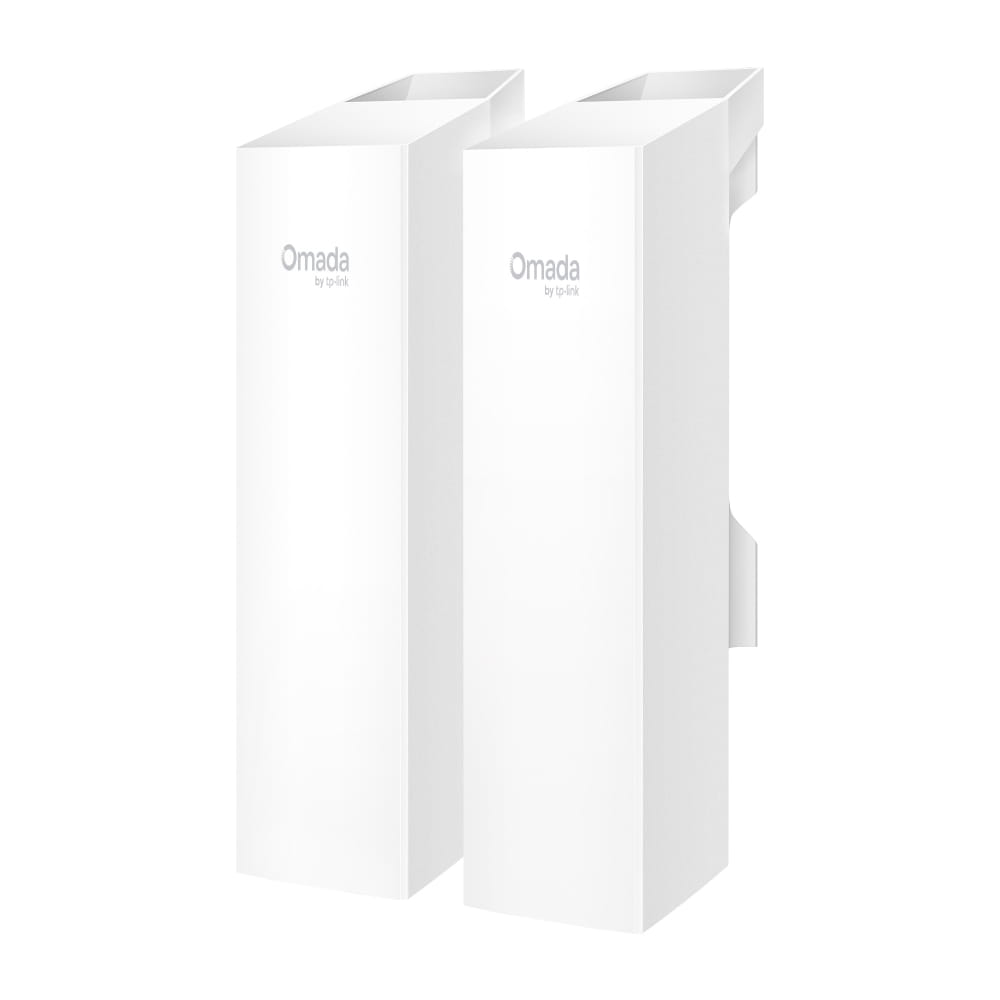
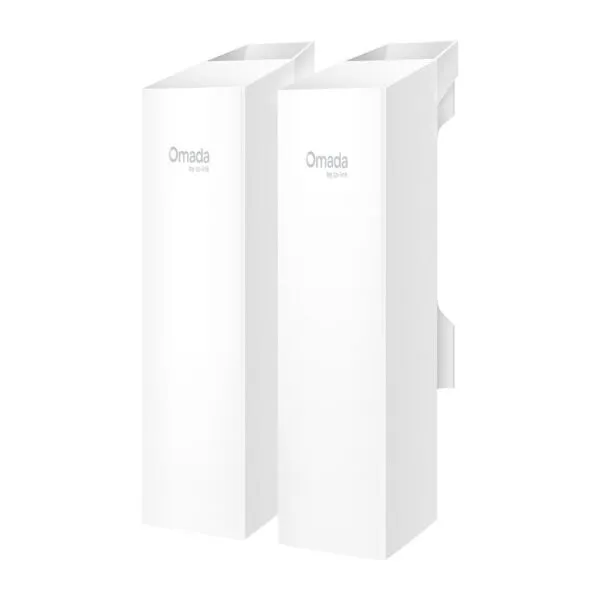
The TP-Link Omada EAP100-Bridge KIT is a 2.4GHz 300Mbps indoor/outdoor wireless bridge designed to connect separate network locations without installing a long Ethernet cable between them. With a rated wireless transmission distance of up to 500 metres, preconfigured auto-pairing and app-guided alignment, it simplifies point-to-point network deployment for CCTV surveillance, warehouses, farms, parking areas, construction sites and business premises. Each bridge unit provides three 10/100Mbps Ethernet ports, allowing compatible wired devices such as IP cameras and network equipment to connect at the remote location. Its IP65 weatherproof enclosure supports outdoor installation when mounted and protected according to TP-Link’s installation instructions. Businesses looking for wireless access points and outdoor networking equipment can source networking products from THENCIX, Nehru Place, Delhi. GST invoicing and pan-India delivery are available. Contact WhatsApp +91 9891150949 for a quotation.
Wireless Bridge for Two Locations
The TP-Link Omada EAP100-Bridge KIT connects two network locations over a wireless link, avoiding the need to run a long Ethernet cable between buildings. Install one unit at the main network location and the paired unit at the remote site. The remote unit provides three Ethernet ports for connecting compatible devices such as IP cameras, network recorders and other wired equipment.
It is useful for properties where cameras or network devices are installed away from the main router or switch. Examples include warehouse buildings, parking areas, farm structures, security gates and separate office blocks. The wireless link can carry network traffic back to the main building, provided the installation has a suitable signal path and sufficient bandwidth.
500 Metre Wireless Connectivity
TP-Link specifies a wireless transmission distance of up to 500 metres under suitable conditions. This makes the kit useful for connecting nearby buildings, remote surveillance points and separated areas within a property. The actual achievable distance and throughput depend on line of sight, antenna alignment, mounting height, interference, weather conditions, obstructions and the surrounding radio environment.
For outdoor point-to-point installations, a clear path between the two bridge units is important. Large trees, buildings, metal structures and other obstacles can weaken the signal. Before installation, identify suitable mounting locations and check whether the two units can maintain a clear wireless path.
The advertised distance is a laboratory-based maximum, not a guaranteed operating distance for every site. Installers should test the link at the intended locations and verify throughput before connecting critical surveillance or business equipment.
300Mbps Wireless Performance
The bridge operates on the 2.4GHz band using IEEE 802.11b/g/n wireless standards and supports a maximum advertised wireless signal rate of 300Mbps. The 2.4GHz band can offer useful propagation characteristics for outdoor links, although it is also commonly used by other wireless devices and may experience interference in busy environments.
The 300Mbps figure represents the wireless PHY link rate, not guaranteed usable application throughput. Actual data transfer rates depend on signal strength, channel conditions, network overhead, connected devices and environmental interference. The three Ethernet ports on each unit are Fast Ethernet interfaces rated at 10/100Mbps, so wired device connections are limited by those port speeds.
For CCTV installations, calculate the combined camera bitrate and consider the number of simultaneous streams. A small group of cameras may operate comfortably when the wireless link is properly installed, but larger deployments should be designed around actual bitrate requirements, recording resolution and available network capacity.
Three Ethernet Ports
Each bridge unit includes three 10/100Mbps Ethernet ports. These ports allow multiple wired network devices to connect at the remote end without necessarily installing a separate switch for a small deployment.
For example, a remote parking area may have several IP cameras that need to send video to an NVR in the main building. The remote bridge can provide Ethernet connections for compatible devices, while the paired bridge carries the network traffic wirelessly to the main network.
Remember that the ports are Fast Ethernet rather than Gigabit Ethernet. If the installation requires higher wired throughput, evaluate the total bandwidth demand and consider a different bridge model with Gigabit interfaces.
Outdoor Weather Protection
The EAP100-Bridge KIT uses an IP65-rated enclosure designed for outdoor environments. This rating provides protection against dust ingress and water jets under the specified test conditions. The product is designed for outdoor deployment in locations such as building exteriors, farms, warehouses and parking facilities.
TP-Link specifies an operating temperature range of -40°C to 70°C. Proper installation remains important: use suitable mounting hardware, route cables carefully and follow grounding and cable-shielding recommendations. Weather protection does not remove the need for correct installation or protect against every form of water ingress, lightning damage or physical impact.
TP-Link also specifies 6kV lightning protection for the product when installed correctly. Outdoor network equipment should be installed with appropriate grounding and surge-protection practices. Consult a qualified installer for exposed buildings, long cable runs and locations with elevated lightning risk.
Flexible Power Options
The bridge supports multiple power methods, including 12V DC, IEEE 802.3af PoE and passive PoE options. This flexibility helps installers adapt the power arrangement to the available network infrastructure and installation location.
Where supported, 802.3af PoE can simplify installation by carrying power and network connectivity over an Ethernet cable. The product also supports 12V DC power and passive PoE options. Check the hardware version and included power accessories before selecting the power method. Passive PoE adapters must be used only in accordance with the manufacturer’s instructions.
For remote sites without convenient mains power, TP-Link identifies compatibility with its solar power supply systems through the DC input arrangement. A solar installation must be designed around the bridge’s power requirement, local sunlight conditions, battery capacity and expected operating time.
Simple Installation and Alignment
The preconfigured kit is designed for auto-pairing, reducing the amount of manual wireless setup required during initial installation. After mounting the units, installers can use the Omada app’s alignment guidance to position the antennas and check the connection.
For a reliable link, mount both units securely and align them according to the signal indicators and app guidance. Avoid placing the devices behind metal structures or where nearby objects obstruct the radio path. Once connected, use the instant speed-testing function to assess link performance at the installation site.
Before handing over the installation, verify that the remote cameras or network devices can communicate with the main network. Check IP addressing, routing, VLAN configuration where applicable and NVR connectivity. Record the final mounting positions and network settings for future maintenance.
Omada Management Options
The bridge can be managed in standalone mode or through Omada SDN mode. Standalone management is suitable for simpler deployments where individual devices are configured separately. Omada SDN management can provide centralised monitoring and administration when the appropriate Omada controller is used.
Management options include web-based configuration and Omada app support. The platform also lists functions such as firmware updates, system logging, SNMP, SSH, backup and restore. Certain centralised management functions require an Omada controller and compatible network architecture.
For organisations operating multiple network links across a campus, warehouse or commercial site, centralised management can help administrators maintain a consistent configuration. Confirm controller compatibility and management requirements before designing a larger deployment.
CCTV and Surveillance Applications
One of the practical applications for this bridge kit is extending a surveillance network to locations where running a physical network cable is difficult or expensive. A remote parking lot, gate, warehouse or detached building can be connected to a central NVR network using a wireless link.
For example, cameras installed at a separate entrance can connect to the remote bridge. The paired bridge at the main building carries their network traffic back to the recording network. This can reduce long cable runs across open ground, driveways or areas where trenching is not practical.
Camera count should be selected according to the total bitrate, recording resolution, frame rate and simultaneous viewing requirements. The 10/100Mbps Ethernet ports and wireless conditions should be considered when planning the installation. For larger surveillance networks, a professional site survey is recommended.
THENCIX also supplies CCTV cameras and surveillance equipment for business and property security projects. Match the bridge, cameras, PoE power requirements and NVR capacity to the complete system design.
Business and Industrial Applications
Warehouses: Connect a separate storage building or loading area to the main network for compatible cameras and network devices. Confirm the wireless path and mounting positions before installation.
Parking facilities: Extend network connectivity to cameras covering gates, vehicle entrances and remote parking sections without routing a long data cable across the entire property.
Farms and agricultural sites: Connect remote buildings, storage areas or surveillance points where network cabling is difficult. Outdoor mounting and power availability should be assessed at each location.
Construction sites: Establish temporary or semi-permanent wireless connectivity between site offices, storage areas and surveillance locations. Secure mounting and suitable power arrangements are important for changing site conditions.
Commercial buildings: Link nearby buildings or separate sections of a property where a direct cable route is not convenient. The distance, interference environment and required network capacity should guide deployment.
Technical Specifications
| Specification |
Details |
| Brand |
TP-Link |
| Product line |
Omada Wireless Bridge |
| Model |
EAP100-Bridge KIT |
| Product type |
Indoor/Outdoor Wireless Bridge Kit |
| Wireless frequency |
2.4GHz |
| Wireless standards |
IEEE 802.11b/g/n |
| Maximum wireless signal rate |
Up to 300Mbps |
| Transmission distance |
Up to 500 metres |
| Wireless technology |
2×2 MIMO |
| Antenna |
Internal dual-polarised directional antenna |
| Antenna gain |
8dBi at 2.4GHz |
| Beamwidth |
70° horizontal, 70° vertical |
| Ethernet ports |
3 × 10/100Mbps per unit |
| Wireless topology |
Point-to-Point; Point-to-Multipoint up to 1:3 |
| Power supply |
12V DC, 802.3af PoE, passive PoE options |
| Maximum power consumption |
4.8W |
| Weather protection |
IP65 |
| Lightning protection |
6kV, with correct installation and grounding |
| Operating temperature |
-40°C to 70°C |
| Management |
Standalone mode and Omada SDN mode |
| Mounting |
Pole and wall mounting |
| Dimensions |
79 × 60 × 224mm |
| Warranty |
3-Year TP-Link India Limited Warranty for eligible SMB product classification |
Package Contents
- TP-Link Omada EAP100-Bridge KIT.
- Installation guide.
- Pole mounting kit.
- Passive PoE adapter and power cord as listed for the applicable kit version.
Check the box contents and hardware version before installation. Power accessories and included items can vary by hardware revision or regional package.
Why Buy From THENCIX
THENCIX supplies networking and IT equipment from 109B Osian Building, 12 Nehru Place, Delhi 110019. Customers can request a quotation for individual units or larger network deployments. GST invoices are available for eligible purchases, and delivery can be arranged across India.
For a wireless bridge installation, confirm the distance between locations, line of sight, number of connected cameras, power availability and required throughput before ordering. This helps ensure that the selected bridge is appropriate for the site.
For network expansion, customers can also consider a compatible network switch for connecting cameras and wired network devices. Contact THENCIX on WhatsApp at +91 9891150949 for pricing and product assistance.
Frequently Asked Questions
What is the maximum wireless transmission distance?
TP-Link specifies a maximum transmission distance of up to 500 metres under suitable conditions. Actual distance depends on line of sight, antenna alignment, interference and installation environment.
Does the kit include two bridge units?
The EAP100-Bridge KIT is a preconfigured bridge kit designed to establish a link between two locations. Check the package contents for the exact hardware revision supplied.
Can this bridge connect CCTV cameras?
Yes. The bridge can carry network connectivity for compatible IP cameras at a remote location. Calculate total camera bitrate and confirm that the wireless link and Fast Ethernet ports meet the system’s bandwidth requirements.
How many Ethernet ports are available?
Each bridge unit provides three 10/100Mbps Ethernet ports for connecting compatible wired network devices.
Does it support Gigabit Ethernet?
No. The listed Ethernet interfaces are 10/100Mbps Fast Ethernet ports.
Is the bridge suitable for outdoor installation?
Yes. It has an IP65 weatherproof enclosure and a specified operating temperature range of -40°C to 70°C. Correct mounting, grounding and cable protection are important.
What power options are supported?
The bridge supports 12V DC, 802.3af PoE and passive PoE options. Use compatible power equipment and follow the manufacturer’s installation instructions.
Can the bridge be managed through the Omada app?
Yes. The product supports the Omada app, including app-guided alignment. Centralised Omada SDN management requires a compatible controller.
Can it connect more than two locations?
TP-Link lists support for point-to-multipoint connections with up to 1:3 multi-bridge connections. Confirm the intended topology and hardware revision before deployment.
What warranty is available in India?
TP-Link India’s warranty policy lists a three-year warranty for eligible SMB products. Warranty coverage is subject to product classification, Indian purchase documentation and TP-Link’s applicable terms.
Is the 500-metre range guaranteed?
No. The stated distance is a maximum based on testing under suitable conditions. Obstacles, interference, mounting height and alignment can affect actual range and throughput.
Where can I buy the EAP100-Bridge KIT in India?
Contact THENCIX, Nehru Place, Delhi, for pricing, availability, GST invoicing and pan-India delivery. WhatsApp +91 9891150949.
 Skip to navigation
Skip to main content







 Free Delivery










Reviews
Clear filtersThere are no reviews yet.