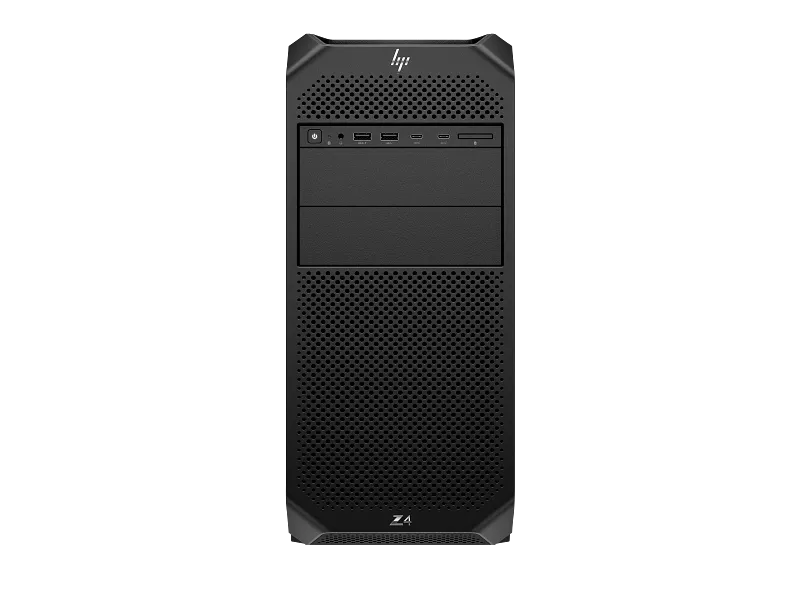
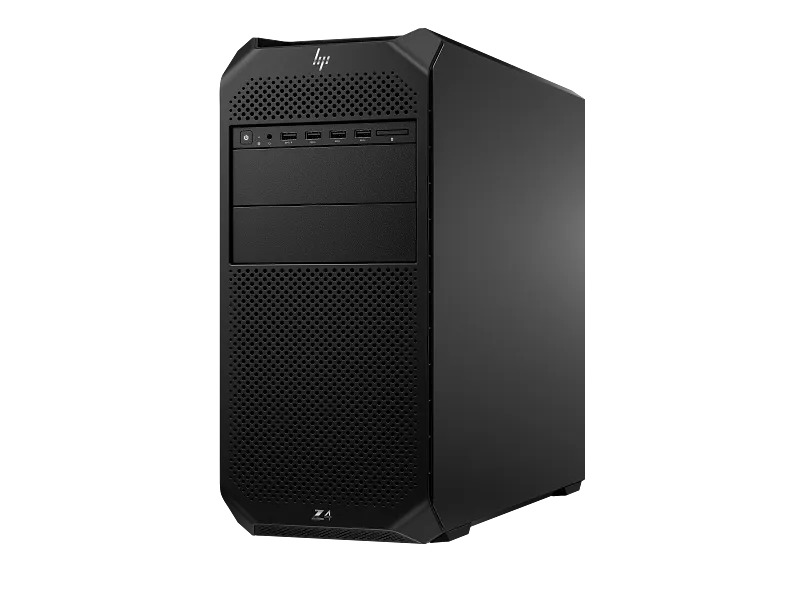
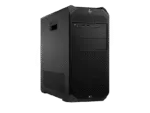
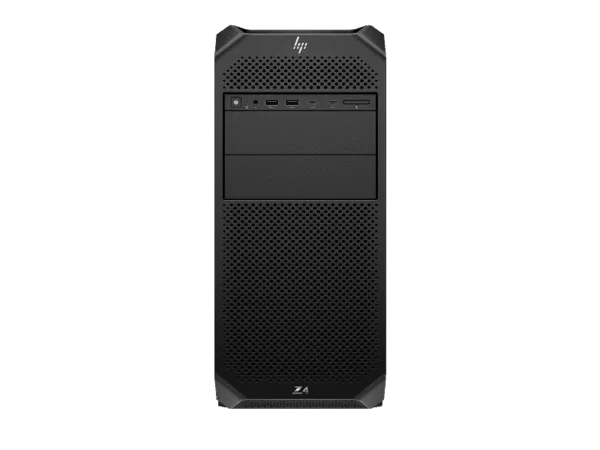
The HP Z4 G5 Workstation is a high-performance professional tower engineered for organisations and technical professionals who need substantial CPU processing capability, professional GPU acceleration, ECC memory and room for future expansion. Powered by an Intel Xeon W7-2595X processor with 26 cores and 52 threads, this configuration combines NVIDIA RTX PRO 5000 Blackwell graphics with 48GB of dedicated GDDR7 memory, 64GB DDR5-4800 ECC memory and a 2TB HP Z Turbo Drive PCIe NVMe SSD. It is supplied with Windows 11 Pro and a 1125W power supply. Businesses comparing professional desktop computers and workstations for offices in Delhi NCR, design studios, engineering departments and technical teams can consider this tower for demanding professional workloads. The Intel W790 platform, eight memory slots and five PCIe expansion slots provide a foundation for a workstation environment that can evolve as requirements change. The configuration is listed with HP 4/4/4 warranty, and TheNcix.Com provides a GST invoice for eligible business purchases. For configuration guidance and a business quotation, contact our team on WhatsApp at +91 9891150949.
Intel Xeon W7-2595X Processing Platform for Professional Workloads
The processor is one of the defining components of this HP Z4 G5 Workstation. It uses an Intel Xeon W7-2595X, a workstation-class processor with 26 cores, 52 threads, a maximum turbo frequency of up to 4.8GHz and 48.75MB of L3 cache. This combination is intended for professional software environments where workloads can use multiple CPU cores while also benefiting from strong per-core performance. The processor’s core and thread resources can be useful when working with complex project files, compiling large software projects, running simulations, processing datasets, rendering scenes and managing multiple professional applications at the same time.
Core count alone does not determine application performance. Actual results depend on the software, project size, available memory, GPU acceleration, storage activity, cooling conditions and the way a workload is distributed across processor threads. Applications that scale efficiently across many cores can benefit from the Xeon W7-2595X’s parallel processing resources. Other applications may rely more heavily on a smaller number of fast cores. This workstation brings both a high core count and turbo frequencies of up to 4.8GHz, giving professional users a flexible platform for mixed workloads.
The Intel Xeon W processor family is designed for workstation-class systems. In this configuration, the processor is paired with the Intel W790 chipset and ECC memory. That combination is relevant to technical environments where system stability, memory capacity and predictable workstation operation are important considerations. Engineering teams, architects, visualisation specialists, research groups and software developers can use a workstation platform of this class as a central desktop system for demanding applications.
For computer-aided design, the processor can support geometry operations, model preparation, drawing management and other CPU-intensive stages of a project. In rendering workflows, the CPU can manage scene preparation, simulation tasks, asset processing and application operations while the graphics card accelerates supported GPU workloads. In software development, the high thread count can be useful for parallel compilation, virtualised development environments, testing and running multiple tools concurrently. For data analysis, the processor can support data preparation and computational tasks, subject to the memory capacity and software architecture involved.
Businesses should assess their applications before selecting a workstation. A CPU-intensive simulation application, a GPU-rendering application and a large-memory data science workflow can have very different hardware requirements. The Xeon W7-2595X provides a substantial processing base, but the correct configuration still depends on the software vendor’s recommended specifications, project complexity and expected workload. TheNcix.Com can help buyers review their intended applications and identify whether this processor and the supplied GPU are appropriate for their working environment.
NVIDIA RTX PRO 5000 Blackwell 48GB for Professional Graphics and GPU Workloads
This configuration includes an NVIDIA RTX PRO 5000 Blackwell graphics card with 48GB of dedicated GDDR7 graphics memory. Professional graphics hardware is designed for workstation applications that require graphics acceleration, substantial video memory and support for professional visualisation workflows. The 48GB dedicated graphics memory capacity is particularly relevant when working with large scenes, detailed models, high-resolution visual assets and GPU workloads that need to keep substantial data available to the graphics processor.
Architecture, product design and engineering teams may use professional graphics acceleration in supported CAD, 3D modelling, visualisation and rendering applications. Large assemblies, detailed geometry, complex materials and high-resolution textures can increase graphics memory requirements. A card with 48GB of dedicated memory provides more room for demanding graphics datasets than lower-memory configurations, although the actual project size that can be handled depends on the software, scene complexity, rendering method and other system resources.
For professional video workflows, GPU acceleration can assist supported editing, effects, colour and rendering operations. The benefit depends on the editing application, codecs, effects, timeline resolution and the degree to which the software uses the GPU. Users working with high-resolution footage, complex effects or multiple streams should check their application’s hardware recommendations and workflow requirements before purchase.
For visualisation and rendering, the RTX PRO 5000 Blackwell can be used in software that supports its GPU architecture and acceleration features. GPU rendering performance is influenced by the rendering engine, scene composition, ray-tracing settings, available VRAM and software optimisation. A large graphics memory capacity can help when scenes contain high-resolution assets or complex geometry, but it does not guarantee a particular render time or performance level in every application.
GPU compute and AI development are other areas where professional graphics hardware may be relevant. Developers and technical teams can evaluate supported frameworks and applications for local GPU acceleration, model experimentation, inference and data processing. Actual AI performance depends on model size, precision, framework support, memory requirements and software configuration. Organisations should verify compatibility with their preferred software stack before deployment.
The graphics card is complemented by the workstation’s Xeon processor, ECC system memory and NVMe storage. This balance matters because a professional graphics workload does not operate in isolation. The CPU prepares and manages tasks, system memory holds application data, storage supports project loading and saving, and the GPU handles supported graphics or compute operations. A well-matched workstation configuration can reduce bottlenecks across these components, although the ideal balance depends on the user’s applications.
Buyers comparing other workstation configurations can also review the HP Z4 G5 Workstation with RTX PRO 4000 Blackwell graphics. Comparing the GPU model and dedicated graphics memory is useful when deciding whether a project needs the graphics resources of this RTX PRO 5000 Blackwell configuration or whether a different workstation configuration is more appropriate.
64GB DDR5 ECC Memory and 2TB HP Z Turbo Drive Storage
The workstation is configured with 64GB of DDR5-4800 ECC memory, installed as two 32GB memory modules. ECC stands for Error-Correcting Code. ECC memory is designed to detect and correct certain types of memory errors, making it relevant to professional computing environments where data integrity and system reliability are important. It is commonly considered for engineering, scientific, technical and business workloads where workstations may operate for extended periods and process important project data.
The HP Z4 G5 platform provides eight DIMM memory slots. The supplied 64GB configuration uses two of those slots, leaving additional physical memory slots available for potential expansion. The maximum supported memory capacity and permitted memory combinations depend on the platform specifications, processor support, module type and HP configuration rules. Any future memory upgrade should use compatible modules and follow HP’s installation guidance. Buyers planning to run large simulations, multiple virtual machines, extensive datasets or memory-intensive creative applications should assess their expected memory requirements before deciding whether the supplied capacity is sufficient.
Memory capacity and memory bandwidth serve different purposes. Capacity determines how much working data and how many applications can remain in memory before the system needs to rely more heavily on storage. Memory bandwidth affects how quickly data can move between memory and the processor. DDR5-4800 memory provides the specified memory data rate for this configuration. Actual operating speed can depend on the installed modules, processor and system configuration. The two-module arrangement also leaves room for buyers to discuss a planned memory expansion with their workstation supplier.
For storage, the system includes a 2TB HP Z Turbo Drive PCIe NVMe TLC M.2 SSD. NVMe storage communicates over the PCI Express interface and is designed for responsive access to operating system files, applications and project data. A fast primary drive can help reduce waiting during system startup, application loading, project opening and file transfers when compared with conventional hard disk storage. The actual performance experienced depends on the drive specification, workload, file sizes, software and system configuration.
The 2TB capacity provides working space for operating system files, professional applications, current projects, libraries and active datasets. Users who work with large video files, 3D assets, engineering assemblies or research datasets should still plan their storage structure carefully. A separate backup destination is recommended for important business and project data. A workstation SSD is a working storage device; it should not be treated as a substitute for a separate backup system or an organisational data-retention policy.
The HP Z4 G5 platform offers additional storage and expansion possibilities, subject to the installed chassis configuration and compatible accessories. HP describes support for internal drive bays and M.2 storage expansion options across the platform. Optional front-accessible NVMe bays require the appropriate carrier, and not every optional bay or storage accessory should be assumed to be included in this specific configuration. Organisations planning to add more internal storage should confirm the required drive type, bay availability, carrier, cabling and supported configuration before ordering.
Intel W790 Chipset, Expansion Slots and Workstation Platform
The system is built around the Intel W790 chipset. This workstation platform is designed to support Intel Xeon W processors, ECC memory configurations and multiple expansion devices. It is intended for users who need more flexibility than a basic office desktop can provide. Expansion capability is important in professional environments because hardware requirements can change as applications, display setups, storage needs and specialist peripherals evolve.
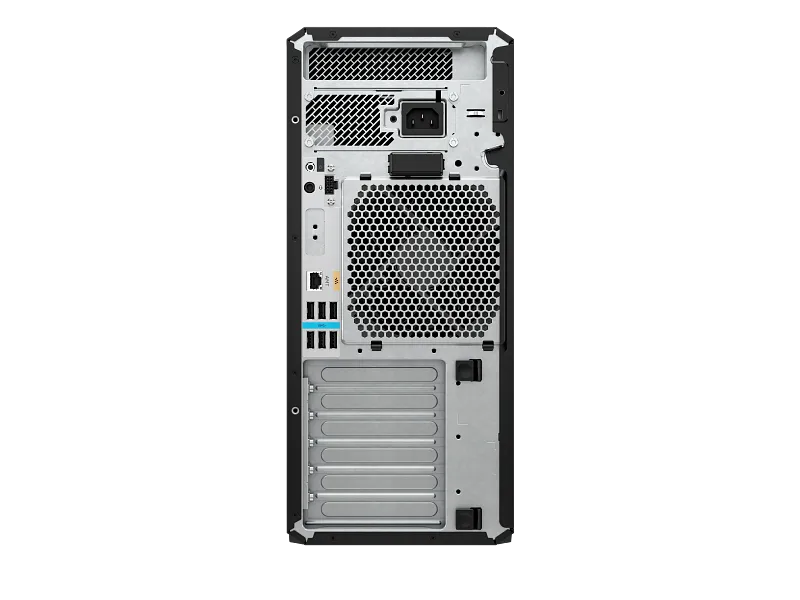
HP specifies five PCIe expansion slots for the Z4 G5 platform: one PCIe 5.0 x16 slot, two PCIe 4.0 x16 slots and two PCIe 4.0 x4 slots. Slot access and physical availability depend on the installed components and platform configuration. Some internal connections are intended for internal M.2 expansion rather than general-purpose rear expansion-card access. Buyers should confirm slot clearance, card dimensions, power requirements and supported configurations before planning an additional GPU, high-speed network adapter, storage controller or specialist PCIe card.
The availability of multiple PCIe slots can be useful for businesses that need to add specialist hardware. Examples include high-speed network interfaces, dedicated storage controllers, capture cards and other professional expansion devices. However, the presence of a physical slot does not automatically guarantee compatibility with every card. The selected card must match the slot’s electrical and physical requirements, fit within the chassis, receive suitable power and be supported by the operating system and application environment.
For organisations planning a multi-GPU or specialised expansion configuration, it is particularly important to review the complete system design. GPU dimensions, slot spacing, thermal requirements, power connectors and total system power requirements must all be considered. The fact that the Z4 G5 platform supports configurations with multiple professional GPUs does not mean that every possible GPU combination is included or supported in the supplied configuration. Additional hardware should be checked against HP’s platform documentation and the exact installed configuration.
The workstation platform also provides SATA connectivity and internal drive options. HP’s platform documentation describes five SATA ports and internal 3.5-inch drive bay capability, while M.2 expansion and front-accessible storage options depend on the relevant configuration and accessories. This flexibility can be useful for organisations that need a combination of fast NVMe working storage and additional internal capacity. The exact drive installation plan should be checked before purchasing additional drives or carriers.
Connectivity, Chassis Design and Thermal Considerations
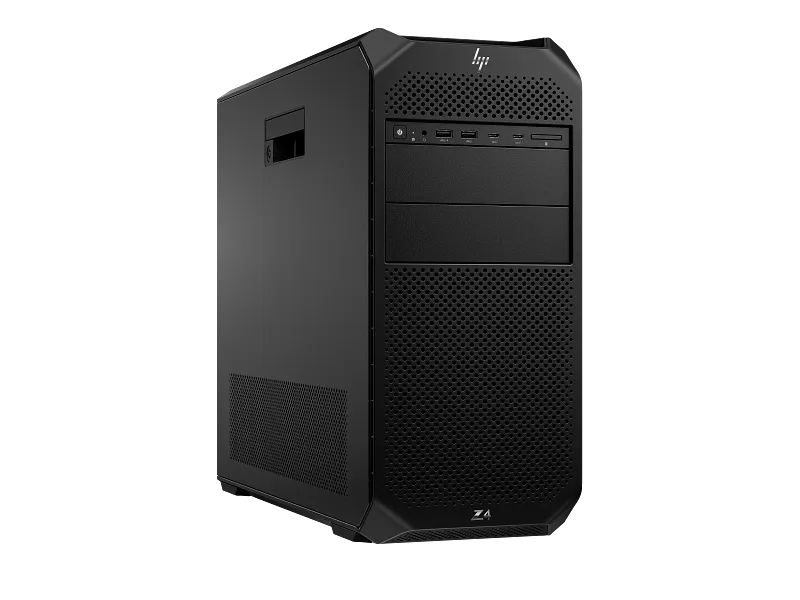
The HP Z4 G5 is a tower workstation with dimensions of approximately 16.89 cm wide, 44.45 cm deep and 38.61 cm high. HP lists a starting system weight of 10.5 kg, with actual weight depending on configuration. These dimensions are useful when planning a workstation desk, under-desk location, equipment room or office installation. Buyers should allow additional clearance around the chassis for ventilation, cable access and maintenance. The workstation should be placed on a stable surface that can support its weight and should not be positioned where ventilation openings are obstructed.
HP describes a thermal design that uses strategically positioned vents and ducts, along with smart fan control and temperature sensors, to manage cooling and operating noise. Workstation cooling is important because professional applications can place sustained loads on the CPU and GPU. During extended rendering, simulation or compute tasks, fans may increase speed to manage component temperatures. Noise and thermal behaviour vary with workload, ambient temperature, airflow, installed components and system settings. Adequate room ventilation and unobstructed chassis airflow are important in Indian office environments, particularly in rooms where multiple workstations operate together.
For connectivity, HP’s platform specification includes front USB connectivity and audio access, along with rear USB ports, network connectivity and audio connections. The standard front configuration includes four USB-A ports rated up to 5Gbps and a headphone/microphone combination connection. A premium front I/O option can provide two USB-C ports rated up to 20Gbps with USB Power Delivery, alongside two USB-A ports. The exact front I/O arrangement can vary by configuration, so buyers should verify the physical ports on the supplied unit if a specific connector is essential.
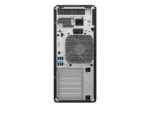
Rear connectivity includes six USB-A ports rated up to 5Gbps, an RJ-45 Gigabit Ethernet connection, audio input and output connections and the power connection. Optional rear Flex I/O modules may provide different connectivity choices, such as serial, additional USB, USB-C, higher-speed Ethernet or wireless options. These are configurable platform options and should not be assumed to be installed unless confirmed on the actual unit’s specification. If a project requires 2.5GbE, 10GbE, Wi-Fi, Bluetooth, fibre networking or a serial interface, confirm the exact installed module or required expansion card before placing the order.
The integrated Gigabit Ethernet connection supports wired network access in a typical office environment. A wired network connection can be useful for shared project storage, network licensing, centralised backups and collaboration systems. Actual network throughput depends on the network adapter, switch, cabling, server, storage and network configuration. Organisations with high-volume shared storage or large media workflows may wish to assess whether a higher-speed network interface is required.
The workstation also includes a DVD-RW optical drive as specified in the supplied configuration. Optical media can remain useful in environments that need to read archived discs, install legacy software or access data supplied on optical media. The presence of the optical drive should not be confused with a guarantee that software, blank discs or other accessories are included.
Windows 11 Pro and Business Deployment
This configuration is supplied with Windows 11 Pro. The operating system provides a familiar Windows desktop environment for business applications, professional software, productivity tools and workstation management. Windows 11 Pro includes business-oriented features such as domain and organisational management capabilities, BitLocker drive encryption support and Remote Desktop hosting, subject to the applicable Windows edition, licensing and configuration. Organisations should confirm their IT policies, identity-management requirements and application compatibility before deploying the workstation across a business environment.
Professional applications should always be checked against their current system requirements. CAD, 3D modelling, rendering, video editing, simulation, engineering and AI development software can have specific requirements for operating system builds, graphics drivers, GPU architecture, memory, storage and application versions. The presence of a professional GPU does not automatically mean that every application is certified or optimised for every workflow. Buyers should consult the software vendor’s supported hardware list when application certification is a procurement requirement.
HP lists software and management utilities for the Z4 G5 platform, including HP Performance Advisor, HP Support Assistant, HP PC Hardware Diagnostics Windows, HP Image Assistant, HP Manageability Integration Kit, HP Anyware, HP Data Science Stack and HP Services Scan. Availability can depend on the configuration, software image and HP’s current support arrangements. These utilities can assist with system information, diagnostics, support workflows and workstation management. Organisations should follow their IT department’s standard imaging, driver and update procedures when preparing the workstation for production use.
For business deployment, it is sensible to plan the workstation setup before it reaches the user’s desk. This includes confirming the required applications, installing approved drivers, applying security policies, configuring network access, connecting monitors and peripherals, and establishing backup procedures. Technical teams should also record the workstation’s serial number, warranty information and configuration details in their asset-management system. TheNcix.Com can assist with configuration discussions and product selection, while software deployment and domain integration should be handled according to the customer’s IT environment.
Key Features
- Intel Xeon W7-2595X: 26 cores, 52 threads, up to 4.8GHz turbo frequency and 48.75MB L3 cache for demanding professional workloads.
- NVIDIA RTX PRO 5000 Blackwell: Professional graphics with 48GB dedicated GDDR7 memory for supported visualisation, rendering, video and GPU-compute applications.
- 64GB DDR5-4800 ECC Memory: Two 32GB memory modules installed, with eight DIMM slots available on the platform.
- 2TB HP Z Turbo Drive: PCIe NVMe TLC M.2 SSD storage for operating system, applications and active project files.
- Intel W790 Workstation Platform: Five PCIe expansion slots, tower chassis, Windows 11 Pro, DVD-RW and 1125W power supply.
Technical Specifications
| Model Number |
CB4M3PT#ACJ |
| Product Name |
HP Z4 G5 Workstation |
| Form Factor |
Tower Workstation |
| Processor |
Intel Xeon W7-2595X |
| Processor Cores |
26 Cores |
| Processor Threads |
52 Threads |
| Maximum Turbo Frequency |
Up to 4.8GHz |
| Processor Cache |
48.75MB L3 Cache |
| Chipset |
Intel W790 |
| Graphics |
NVIDIA RTX PRO 5000 Blackwell Generation |
| Graphics Memory |
48GB GDDR7 Dedicated Graphics Memory |
| Installed Memory |
64GB DDR5-4800 ECC |
| Memory Configuration |
2 x 32GB |
| Memory Slots |
8 DIMM Slots |
| Primary Storage |
2TB HP Z Turbo Drive PCIe NVMe TLC M.2 SSD |
| Expansion Slots |
1 x PCIe 5.0 x16; 2 x PCIe 4.0 x16; 2 x PCIe 4.0 x4 |
| SATA Connectivity |
5 SATA Ports on the platform |
| Network |
RJ-45 Gigabit Ethernet |
| Front I/O |
4 x USB-A 5Gbps and headphone/microphone combo; optional premium front I/O varies by configuration |
| Rear I/O |
6 x USB-A 5Gbps, RJ-45 Ethernet, audio input, audio output and power connection |
| Optical Drive |
DVD-RW |
| Operating System |
Windows 11 Pro |
| Power Supply |
1125W Power Supply |
| Dimensions |
16.89 x 44.45 x 38.61 cm (W x D x H) |
| Starting Weight |
10.5kg; actual weight varies by configuration |
| Warranty |
HP 4/4/4 Warranty, subject to HP warranty terms and entitlement confirmation |
Package Contents
- HP Z4 G5 Tower Workstation in the specified configuration.
- Installed Intel Xeon W7-2595X processor.
- Installed NVIDIA RTX PRO 5000 Blackwell 48GB graphics card.
- 64GB DDR5-4800 ECC memory configuration.
- 2TB HP Z Turbo Drive PCIe NVMe TLC M.2 SSD.
- Installed DVD-RW optical drive and 1125W power supply.
- Windows 11 Pro configuration.
- Power cable and standard in-box items as supplied by HP.
Monitor, keyboard, mouse, additional storage drives, software licences beyond the stated operating system, and optional expansion accessories should not be assumed to be included unless separately confirmed in the quotation or product package.
Ideal Use Cases for Indian Businesses
Architecture, engineering and product design: The combination of a high-core-count Xeon processor, professional graphics and ECC memory makes this workstation a candidate for supported CAD, 3D modelling, engineering visualisation and product-design environments. Teams handling complex assemblies, detailed models and large project files should evaluate their software’s recommended GPU and memory requirements. The available PCIe expansion capability can also be useful when a workflow requires specialist peripherals or additional connectivity.
3D visualisation, rendering and content production: Studios working with complex scenes, detailed materials, high-resolution assets and GPU-accelerated rendering can evaluate the RTX PRO 5000 Blackwell graphics configuration. The dedicated 48GB graphics memory may be useful for supported workloads with large GPU datasets. Video production teams can also assess the workstation for editing and effects applications that use GPU acceleration. Performance will depend on the software, codecs, project complexity and rendering engine.
Scientific computing, simulation and technical analysis: Research and technical departments may use the workstation for applications that benefit from multi-threaded CPU processing, ECC memory and GPU compute. Simulation, numerical analysis, data preparation and engineering workloads should be assessed against the application’s processor, memory and graphics requirements. For very large datasets or multiple virtual machines, the organisation should review whether the supplied 64GB memory capacity is sufficient or whether a planned memory expansion is required.
AI development and local GPU experimentation: Developers and technical teams can assess this system for supported local AI development, model experimentation, inference and GPU-accelerated data workflows. The 48GB graphics memory capacity may be relevant to workloads that need larger models or datasets to fit in GPU memory. However, model compatibility, framework support, precision, memory usage and performance vary significantly. Buyers should validate the target framework and model requirements before selecting the workstation for a dedicated AI deployment.
Why Buy from TheNcix.Com?
- Configuration Guidance: Discuss your software, workload, memory requirements, GPU needs and storage plans before selecting a workstation configuration.
- GST Invoice: Business buyers receive a GST invoice for eligible purchases, supporting their accounting and tax documentation requirements.
- Warranty Assistance: TheNcix.Com can help coordinate warranty-related communication through the manufacturer’s service channel. Final coverage and service eligibility remain subject to HP’s warranty terms and entitlement.
- Service Coordination: Pickup or drop-off coordination may be available for eligible cases, depending on location, logistics, service requirements and applicable charges. This does not represent an onsite repair guarantee.
- Business Quotations: Contact our team for workstation quotations, configuration discussions and procurement assistance for offices, studios, institutions and technical departments.
- Post-Purchase Support: Our team can assist with product-related queries and help direct warranty or technical concerns to the appropriate manufacturer support channel.
HP Z4 G5 Workstation – Frequently Asked Questions
1. Which processor is installed in this HP Z4 G5 Workstation?
This configuration includes the Intel Xeon W7-2595X processor with 26 cores, 52 threads, up to 4.8GHz maximum turbo frequency and 48.75MB L3 cache. It is designed for demanding professional workloads that can benefit from workstation-class CPU resources.
2. What graphics card does this workstation include?
It includes the NVIDIA RTX PRO 5000 Blackwell Generation graphics card with 48GB of dedicated GDDR7 graphics memory. It is intended for supported professional graphics, visualisation, rendering and GPU-compute applications.
3. Is the graphics card suitable for 3D rendering and CAD?
The professional graphics configuration can be considered for supported CAD, 3D modelling, visualisation and rendering software. Actual performance and application compatibility depend on the software version, project complexity, graphics driver and workload. Check the software vendor’s recommended hardware before purchase.
4. How much RAM is installed, and can it be upgraded?
The workstation is supplied with 64GB DDR5-4800 ECC memory in a two-module configuration of 2 x 32GB. The platform provides eight DIMM slots. Any upgrade should use compatible memory modules and follow HP’s supported memory configuration guidance.
5. Does this workstation use ECC memory?
Yes. The supplied memory configuration is DDR5-4800 ECC. Error-Correcting Code memory is designed to detect and correct certain types of memory errors and is commonly used in professional computing environments where memory integrity is important.
6. What storage is included?
This configuration includes a 2TB HP Z Turbo Drive PCIe NVMe TLC M.2 SSD. It provides primary storage for Windows, applications and active project data. Users handling important business files should maintain a separate backup system.
7. Which operating system is supplied?
Windows 11 Pro is specified for this configuration. Organisations should confirm that their professional applications, drivers, security policies and deployment tools are compatible with the operating system version they intend to use.
8. What is the power supply capacity?
The supplied configuration specifies a 1125W power supply. This is the rated power supply capacity, not a statement that the workstation continuously consumes 1125W. Actual power consumption varies with workload, installed components and operating conditions.
9. Does the workstation support additional PCIe cards?
The HP Z4 G5 platform provides five PCIe expansion slots: one PCIe 5.0 x16, two PCIe 4.0 x16 and two PCIe 4.0 x4. Physical access, card clearance, power and compatibility must be checked against the installed configuration before adding expansion hardware.
10. Does it include a DVD drive?
Yes. The supplied configuration lists a DVD-RW optical drive. Other accessories, optical media and software are not implied by the presence of the drive.
11. What warranty is provided with this workstation?
The supplied configuration is listed with HP 4/4/4 warranty. The applicable parts, labour and onsite coverage, service location and entitlement must be confirmed against HP’s warranty documentation and the product’s serial-number entitlement. TheNcix.Com can assist with warranty-related coordination through the manufacturer’s service channel.
12. Can TheNcix.Com help select the right workstation configuration?
Yes. Contact TheNcix.Com with your software names, project sizes, graphics requirements, memory needs and storage expectations. Our team can help discuss whether this configuration is suitable or whether another workstation configuration should be considered. For a quotation, contact WhatsApp +91 9891150949.
 Skip to navigation
Skip to main content







 Free Delivery










Reviews
Clear filtersThere are no reviews yet.