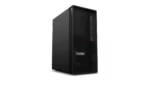
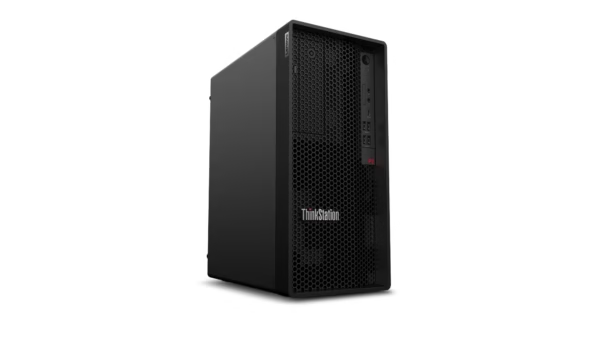
The Lenovo ThinkStation P2 Tower Gen 2 ships with an Intel Core Ultra 7 265K vPro processor, 32 GB DDR5-5600 memory, a 1 TB PCIe 4.0 NVMe SSD, and Ubuntu pre-installed. The 265K is the unlocked 125W version of the Core Ultra 7 — it runs hotter and draws more power than the standard 65W 265, but it also hits higher turbo clocks and gives you headroom for overclocking if your cooling can handle it. This config has no discrete GPU, no DVD drive, no Wi-Fi, and no serial port. It is a stripped-down, CPU-focused workstation for developers, data scientists, and Linux admins who want raw processor performance without paying for features they will not use. If you are looking at our full desktop and laptop range for your team, Thencix stocks this Ubuntu configuration with GST invoice and same-day dispatch for Delhi NCR.
What You Actually Get for the Money
The 30JQS0AQ00 is the most focused config in the ThinkStation P2 lineup. You get the Core Ultra 7 265K — 20 cores, 20 threads, 30 MB cache, turbo up to 5.5 GHz — in a 125W package that outperforms the standard 65W 265 in sustained all-core workloads. The K-series multiplier is unlocked, which means if you add an aftermarket cooler and know your way around BIOS settings, you can push clocks beyond stock. For a development team in Noida compiling large codebases, or a data science lab in Delhi running parallel Python jobs, that extra TDP headroom translates directly into faster build times and shorter model training cycles.
Ubuntu comes pre-installed and ready to use — not a trial, not a live USB, but a full working installation. You boot the machine, create your user account, and start working. No Windows license cost, no bloatware, no activation headaches. The integrated Intel Graphics drives up to four displays via the onboard HDMI 2.1 and DisplayPort 1.4 outputs — enough for a multi-monitor coding setup or a trading desk with charts spread across screens. If you need GPU compute later, the PCIe 5.0 x16 slot accepts NVIDIA or AMD cards without bottlenecking them.
This config omits the extras that drive up cost. No DVD drive — you probably have not used one in years. No Wi-Fi card — you are running Ethernet to a workstation anyway. No serial port — if you do not have legacy industrial equipment, you do not need it. No discrete GPU — if your workload is CPU-bound or you already own a graphics card, why pay for one in the box? The money saved goes into the 125W K-series CPU and the 32 GB DDR5 baseline, which are the parts that actually matter for development and compute workloads.
Why the 265K at 125W Beats the Standard 265 for Serious Work
The Core Ultra 7 265K is the same silicon as the standard 265, but Lenovo gives it a 125W power budget instead of 65W. That means higher sustained all-core frequencies during long compiles, renders, and simulations. In benchmarks, the 265K consistently outperforms the 265 by 15-25% in multi-threaded workloads — the exact workloads that keep a workstation busy for hours.
The trade-off is heat and power consumption. The 125W TDP requires better cooling than the 65W part, and the P2 Tower’s phase-change CPU cooler handles it without throttling under sustained loads. For Indian offices in Delhi NCR with air conditioning, this is not an issue. For non-AC workshops in Faridabad during peak summer, you may want to monitor thermals or add a case fan. The unlocked multiplier is a bonus for enthusiasts — you can tune voltage and frequency in the BIOS for even higher performance, though Lenovo’s warranty does not cover damage from extreme overclocking.
The integrated NPU in the Core Ultra architecture still works at 125W, handling background AI tasks like noise suppression in video calls, intelligent photo tagging, and local Copilot acceleration without loading the CPU cores. For a machine that spends most of its time compiling code or crunching numbers, that NPU offload keeps the system responsive for everyday tasks.
Ubuntu Pre-Installed Means Zero Setup Time
Most workstations ship with FreeDOS or no OS, forcing you to spend an hour installing and configuring Linux before you can work. The 30JQS0AQ00 boots straight into Ubuntu 22.04 LTS or 24.04 LTS with Lenovo’s hardware drivers pre-configured. The Ethernet port, audio, USB ports, and integrated graphics all work out of the box. The only extra step is installing your development stack — Python, Docker, Node.js, CUDA toolkit if you add an NVIDIA GPU later.
Ubuntu’s APT package manager and Snap store give you access to thousands of development tools without hunting for .exe installers or dealing with Windows registry bloat. The terminal is first-class, not an afterthought. SSH server is one command away. Container support via Docker and LXD is native, not a WSL workaround. For a DevOps team in Gurgaon managing Kubernetes clusters, or a machine learning engineer in Noida training models on CPU before moving to GPU, this is the environment that gets out of your way.
If you need Windows later for a specific application, you can dual-boot or run it in a KVM virtual machine. The 32 GB RAM and 20-core CPU handle VM workloads without slowing down the host. The 1 TB SSD has enough space for two OS partitions plus project data.
Key Features
- 20-Core Intel Core Ultra 7 265K vPro: 8 performance cores plus 12 efficient cores, 20 threads, up to 5.5 GHz turbo, 30 MB cache, 125W TDP with unlocked multiplier for overclocking headroom.
- 32 GB DDR5-5600 UDIMM: High-speed DDR5 with three slots free, expandable to 128 GB total for large datasets and parallel workloads.
- 1 TB PCIe 4.0 x4 NVMe SSD: Fast boot and application loading with three total M.2 slots supporting up to 4 TB each for project storage.
- Ubuntu Pre-Installed and Ready: Full working Ubuntu installation with Lenovo hardware drivers configured — boot and start coding immediately.
- Stripped-Down, CPU-Focused Config: No discrete GPU, no DVD, no Wi-Fi, no serial port — your money goes into the 125W K-series CPU and 32 GB RAM that matter for development work.
Technical Specifications
| Specification |
Detail |
| Model |
ThinkStation P2 Tower Gen 2 (30JQS0AQ00) |
| Operating System |
Ubuntu (pre-installed and ready) |
| Processor |
Intel Core Ultra 7 265K vPro (up to 5.5 GHz with Intel Turbo Boost Technology, 30 MB Intel Smart Cache, 20 cores: 8P + 12E, 20 threads, 125W TDP, unlocked multiplier) |
| Chipset |
Intel W880 |
| Graphics |
Integrated Intel Graphics (no discrete GPU included) |
| Memory |
32 GB DDR5-5600 MT/s UDIMM (1 x 32 GB) |
| Memory Slots |
4 DDR5 UDIMM slots, dual-channel capable (expandable up to 128 GB) |
| Internal Storage |
1 TB M.2 2280 PCIe 4.0 x4 NVMe SSD |
| Storage Expansion |
3 M.2 2280 NVMe SSD slots; 2x 3.5″ HDD bays; 1x 2.5″ HDD bay; RAID supported |
| Max Storage |
Up to 10 TB total (3x M.2 + 3x HDD) |
| Expansion Slots |
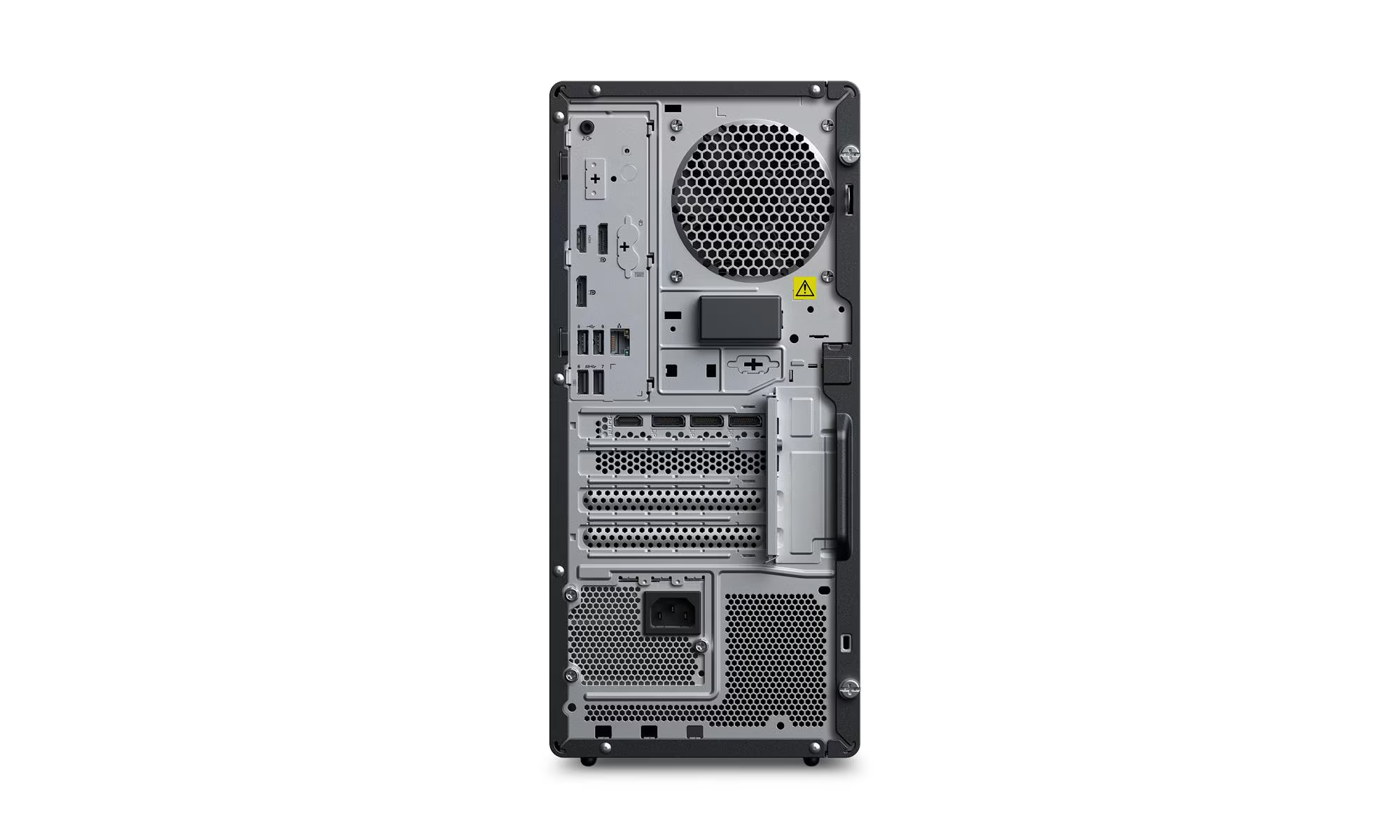
1 PCIe 5.0 x16 (full height, full length, double-width); 1 PCIe 4.0 x16 (x4 electrical, full height, half length); 2 PCIe 3.0 x1 (full height, half length, open-ended) |
| Front Ports |
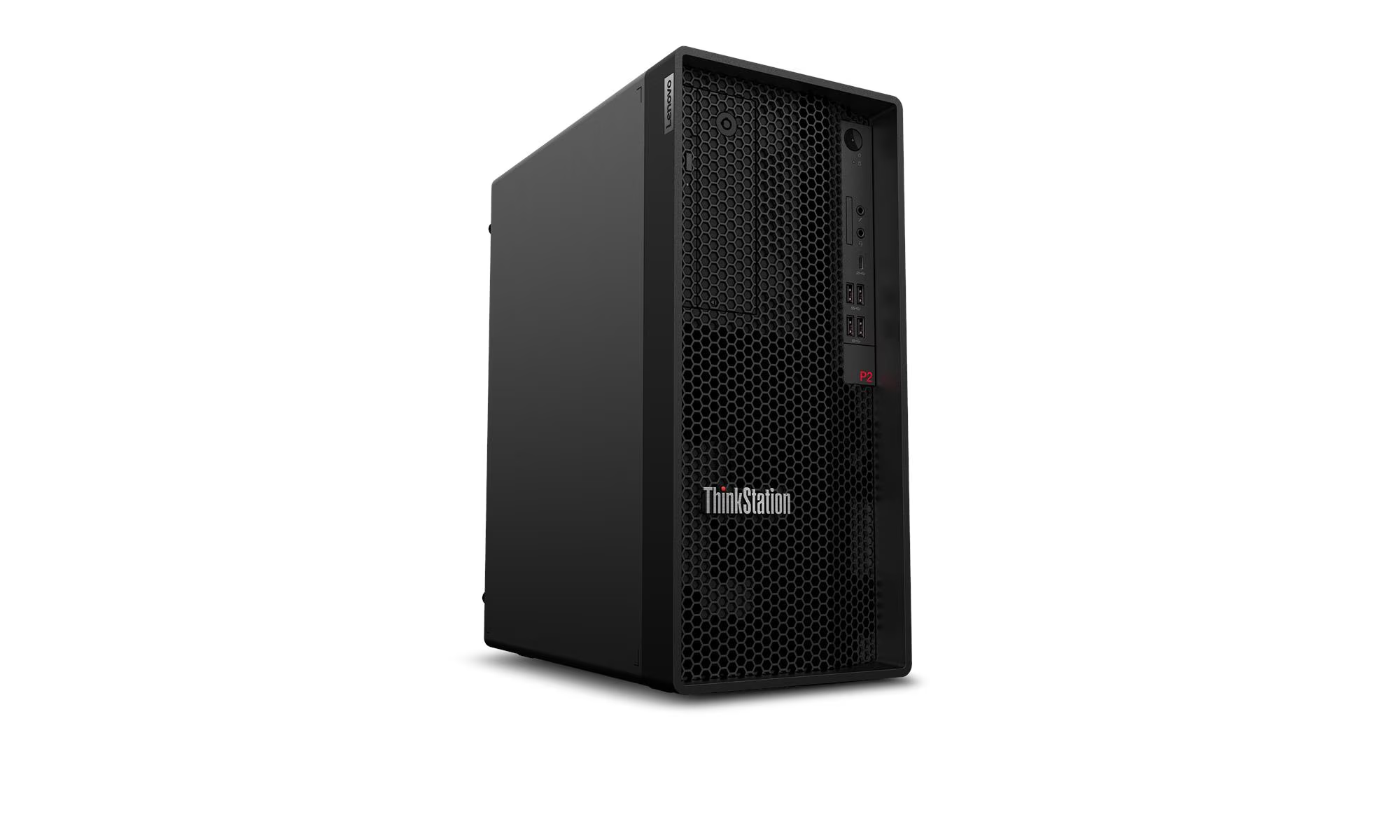
1 USB-C 20 Gbps (data only); 2 USB-A 5 Gbps; 2 USB-A 10 Gbps; 1 headphone/microphone combo (3.5mm); 1 microphone (3.5mm) |
| Rear Ports |
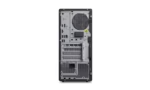
2 USB-A 5 Gbps (1 with Smart Power On); 2 USB 2.0; 1 HDMI 2.1 TMDS; 2 DisplayPort 1.4; 1 Ethernet (RJ-45); 1 line-out (3.5mm) |
| Flex I/O (Optional) |
USB-C 5 Gbps with DisplayPort; HDMI 2.1 TMDS; DP 1.2; VGA; parallel; serial |
| Network |
Intel Ethernet Connection I219-LM Gigabit Ethernet (RJ-45), Wake-on-LAN |
| Wireless |
Not included (optional Wi-Fi 7 BE200 available) |
| Audio |
Realtek ALC623-CG codec, 2W internal mono speaker |
| Keyboard |
Lenovo Calliope USB Keyboard |
| Mouse |
Lenovo Calliope USB Mouse |
| Power Supply |
750 W, 92% efficient @ 50% load, 80 PLUS Platinum, autosensing 100-240V |
| Dimensions (W x D x H) |
170 mm x 315.35 mm x 376 mm (6.7″ x 12.4″ x 14.8″) |
| Weight |
Starting at 8.65 kg; maximum configuration 9.67 kg |
| Security |
Discrete TPM 2.0 (TCG certified, FIPS 140-2), Kensington Security Slot, padlock loop, chassis intrusion switch, self-healing BIOS, administrator/power-on passwords |
| Manageability |
Intel vPro Enterprise with Intel AMT 16 |
| Certifications |
ENERGY STAR 9.0; EPEAT Gold; TCO Certified Gen 10; RoHS compliant |
| Warranty |
3-year limited onsite service (parts, labor, and repair) |
Package Contents
- Lenovo ThinkStation P2 Tower Gen 2 Workstation (30JQS0AQ00) — 1 unit
- Lenovo Calliope USB Keyboard — 1 unit
- Lenovo Calliope USB Mouse — 1 unit
- Power Cord — 1 unit
- Quick Setup Guide — 1 copy
- Warranty Documentation — 1 set
NOT INCLUDED: Discrete graphics card — this config ships with integrated Intel Graphics only. NVIDIA RTX A-series, GeForce RTX, AMD Radeon Pro, or Intel Arc discrete GPUs must be purchased separately and installed via the PCIe 5.0 x16 slot. Browse our business laptop range for mobile alternatives with built-in discrete graphics. Windows operating system — Ubuntu is pre-installed; Windows 11 Pro must be purchased and installed separately if needed. Thencix can assist with Windows licensing. Monitor — must be purchased separately; Thencix stocks Lenovo ThinkVision and third-party monitors. Wi-Fi and Bluetooth card — wireless connectivity is optional and not included. DVD drive — not included in this config. Serial port — not included in this config. Additional memory modules — 32 GB is baseline; upgrades require separate DIMM purchases. Additional storage drives — HDDs and extra SSDs are NOT included. DisplayPort cable, HDMI cable, and Ethernet patch cable are NOT included.
Ideal Use Cases
1. Linux Development and DevOps Teams in Noida and Gurgaon
Software development firms running Ubuntu, RHEL, or Fedora get a machine that boots straight into their preferred environment. No wiping Windows, no driver hunts, no activation keys. The 20-core 265K handles Docker containers, Kubernetes clusters, and CI/CD pipelines in parallel. The 32 GB RAM is enough for multiple VMs and IDEs running simultaneously. The tool-free chassis means swapping drives or adding RAM takes minutes when a developer’s needs change. With GST invoice from Thencix, development firms claim input tax credit on hardware investments.
2. Data Science and Machine Learning Teams in Delhi NCR
Data scientists working with Python, Pandas, and scikit-learn need CPU cores and memory more than GPU power during preprocessing and feature engineering. The 265K’s 20 cores chew through data cleaning, database queries, and ETL pipelines. The 128 GB maximum RAM capacity lets you load large datasets into memory. When you are ready for GPU training, the PCIe 5.0 x16 slot accepts an RTX A6000 or RTX 4090 without bottlenecking. The NPU handles inference and model optimization tasks locally. If your office needs UPS backup for power protection, Thencix stocks APC and Eaton units compatible with this 750W PSU.
3. System Builders and Resellers in Nehru Place
Computer dealers in Nehru Place buy bare-bones workstations, add their own GPU and OS customizations, and sell complete builds. The 30JQS0AQ00 gives you a 125W K-series CPU, 32 GB RAM, and a validated chassis with Ubuntu pre-installed — you add the RTX card from your own stock and deliver a custom Linux workstation without factory GPU markup. The 3-year Lenovo warranty covers the base machine. The PCIe 5.0 slot ensures future GPU upgrades are not bottlenecked.
4. Academic Research and Scientific Computing
University labs and research institutions in Delhi running MATLAB, Mathematica, or custom Fortran simulations need raw CPU performance without the cost of a professional GPU. The 265K’s unlocked multiplier lets researchers tune performance for specific workloads. Ubuntu’s package repository includes scientific computing libraries like NumPy, SciPy, and OpenMPI without proprietary licensing. The tool-free chassis simplifies maintenance in labs where IT support is limited. The 3-year onsite warranty means a technician comes to campus if hardware fails during a research cycle.
Why Buy from Thencix
- 3-Year Lenovo Onsite Warranty: A technician comes to your office in Delhi, Noida, Gurgaon, or Faridabad if something breaks. Thencix supplies the original GST invoice required for all claims.
- Genuine Lenovo Product: Sourced directly from authorized Lenovo distribution. Every unit carries original serial number and India warranty eligibility.
- GST Invoice Provided: Full tax invoice with HSN code for input tax credit claim. Essential for businesses, development teams, and research institutions filing GST returns in Tally or similar accounting software.
- Same-Day Dispatch Delhi NCR: Orders confirmed before 3 PM ship same day via express courier to Delhi, Noida, Gurgaon, and Faridabad.
- Pan-India Delivery: Secure packaging and insured shipping to all states. Tracking number shared via WhatsApp within 2 hours of dispatch.
- Technical Support: Post-sale assistance for Ubuntu configuration, driver updates, GPU compatibility checks, and hardware upgrades. Our team has hands-on experience with Lenovo ThinkStation, HP Z, and Dell Precision systems.
- WhatsApp Support: Quick queries, configuration help, and order tracking via WhatsApp at +91 9891150949. No IVR, no hold time — message and get a response.
FAQ — Lenovo ThinkStation P2 30JQS0AQ00 Price India
What is the difference between the Core Ultra 7 265K and the standard 265?
The 265K is the unlocked 125W version of the Core Ultra 7 265. It has the same 20 cores and 30 MB cache, but it runs at higher sustained frequencies under load and has an unlocked multiplier for overclocking. The standard 265 is a 65W processor with lower power consumption and slightly lower multi-threaded performance. The 265K is better for compilation, rendering, and simulation workloads where raw CPU performance matters. The standard 265 is better for offices concerned about electricity costs and heat output. The P2 Tower’s cooling handles the 125W TDP without issues in air-conditioned environments.
Can I install Windows on the 30JQS0AQ00 if I need it later?
Yes. The machine ships with Ubuntu pre-installed, but you can dual-boot Windows 11 Pro or replace Ubuntu entirely. You will need a valid Windows 11 Pro license key for activation. All drivers for the Core Ultra 7 265K, Intel W880 chipset, and onboard devices are available on Lenovo’s support website. Thencix can supply genuine Windows 11 Pro OEM licenses and provide installation guidance. The 1 TB SSD has enough space for both OS partitions plus project data. Contact us on WhatsApp at +91 9891150949 for Windows licensing and dual-boot setup assistance.
What is the warranty on Lenovo ThinkStation P2 30JQS0AQ00 in India?
Lenovo provides a 3-year limited onsite warranty on this workstation in India, covering parts, labor, and repair at your location. A technician comes to your office in Delhi, Noida, Gurgaon, or Faridabad — you do not ship the machine to a service center. Thencix supplies the original GST invoice required for all warranty claims and RMA processing. For warranty service, contact Lenovo India customer care or reach out to Thencix support at +91 9891150949 for assistance with documentation and service coordination.
Can I add a discrete GPU to the 30JQS0AQ00 later?
Yes. The ThinkStation P2 Tower Gen 2 has a PCIe 5.0 x16 slot that accepts up to an NVIDIA RTX 2000 Ada Generation or RTX PRO 2000 Blackwell. The 750W PSU supports professional GPUs up to the RTX A5000 and consumer cards up to the RTX 4070. The tool-free chassis means you can install a graphics card without a screwdriver. This config ships with integrated Intel Graphics only, so you will need to add a GPU for gaming, 3D rendering, or GPU-accelerated machine learning. Thencix stocks professional and consumer GPUs and can quote a bundled price including installation.
What is the difference between the 30JQS0AQ00, 30JQS0BM00, and 30JQS05100?
The 30JQS0AQ00 has the Core Ultra 7 265K 125W CPU, Ubuntu pre-installed, integrated graphics only, no DVD, no Wi-Fi, no serial port, and a 3-year warranty. The 30JQS0BM00 has the standard 65W Core Ultra 5 225, FreeDOS (no OS), integrated graphics, and a 3-year warranty. The 30JQS05100 has the standard 65W Core Ultra 7 265, Windows 11 Pro, RTX 5060 8GB GPU, DVD, Wi-Fi, serial port, and a 5-year warranty. Choose the 30JQS0AQ00 if you want the fastest CPU, Ubuntu out of the box, and no unnecessary extras. Choose the 30JQS05100 if you need a discrete GPU, Windows, and the longest warranty. Contact Thencix at +91 9891150949 for side-by-side comparisons.
 Skip to navigation
Skip to main content
Skip to navigation
Skip to main content







 Free Delivery










Reviews
Clear filtersThere are no reviews yet.